

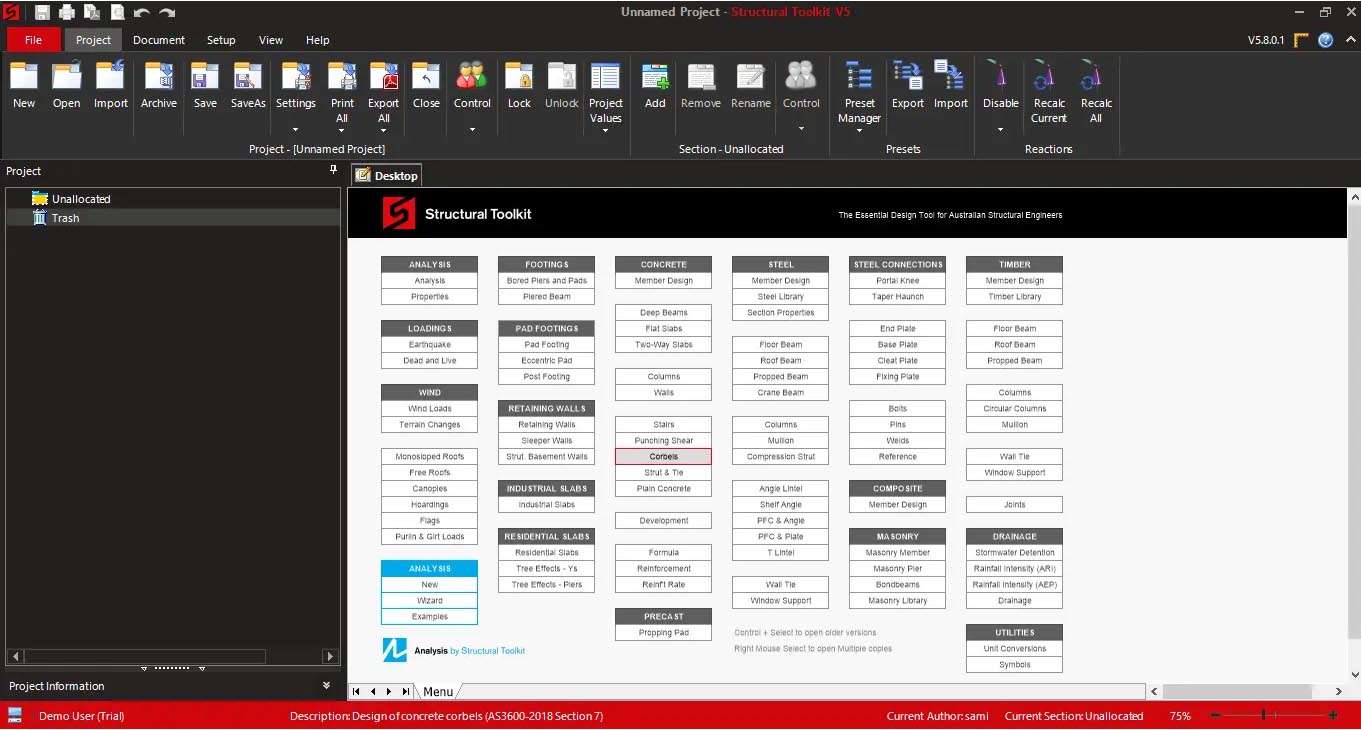
Download Structural Toolkit 5.8.1.2 – Specialized Add-on for Structural Engineering CAD
Structural Toolkit 5.8.1.2 is a specialized productivity add-on application designed for structural engineers and CAD professionals. Developed to enhance workflows within industry-standard platforms like Autodesk AutoCAD and Bentley MicroStation, this software focuses on automating repetitive tasks involved in structural detailing and drawing production. Its primary users are professionals in structural engineering, civil engineering, construction detailing, and bridge design, who leverage its capabilities for creating detailed construction documentation.
Enhancing Structural Engineering Workflows in AutoCAD and MicroStation
Structural Toolkit significantly boosts productivity for structural engineers and CAD technicians working on detailed design projects. Its functionality extends to various stages of the structural engineering process, from initial concept detailing to final documentation for construction. The software is particularly adept at bridging the gap between structural analysis and the creation of detailed fabrication and erection drawings, supporting the precise documentation required for steel and concrete structures in civil engineering and bridge design projects.
Comprehensive Steel and Reinforcement Detailing Capabilities
The software offers extensive tools for both steel and concrete detailing, aiming to streamline the creation of complex structural components and assemblies.
Parametric Steel Connection Libraries and BOM Generation
Structural Toolkit includes a wide array of parametric steel connection tools that allow for rapid design and modification of common steel connections. These intelligent libraries enable engineers to quickly insert custom or standard connections. The application also automates the generation of comprehensive Bills of Materials (BOM) directly from the 3D model or 2D drawings, providing accurate counts and descriptions of structural steel members and hardware.
Automated Concrete Reinforcement Tools
For concrete structures, the software provides robust tools for placing, labeling, and scheduling concrete reinforcement. It supports code-compliant detailing for rebar, including automatic generation of bar bends, stirrup shapes, and complex reinforcement arrangements for elements such as slabs, beams, and columns. This automation ensures consistency and adherence to project specifications in reinforcement drawings.
Drawing Automation and Reporting Integration
Beyond specific element detailing, Structural Toolkit focuses on automating the broader drawing production process and integrating data for reporting.
Efficient Batch Plotting and Annotation Tools
Users can benefit from automated annotation features, including dimensioning, grid line labeling, and section designations, which can be applied quickly across multiple views. The batch plotting functionality allows for the automated generation of construction drawing sets, managing viewports, and controlling title block information efficiently, saving considerable time in the documentation phase.
Integrated Calculations and Analysis Data Import
Structural Toolkit facilitates preliminary design checks and integrates seamlessly with structural analysis software. It can import analysis results, such as member forces, directly from applications like SAP2000, ETABS, and STAAD. This imported data aids in performing basic code checks and substantiating member sizing directly within the CAD environment, and assists in generating material takeoff reports.
Recent Updates and Compatibility with Latest CAD Platforms
Version 5.8.1.2 of Structural Toolkit introduces enhancements and maintains compatibility with the latest versions of essential CAD software. Key updates include support for AutoCAD 2024 and 2025, alongside recent versions of MicroStation. This version also features new parametric steel connections and expanded libraries for concrete reinforcement shapes, alongside refinements to the user interface and reporting features to improve overall usability and output quality.
Customization and Standards Enforcement in Structural Drafting
Structural Toolkit offers capabilities for customization to adhere to specific company or project standards. Users can develop and manage company-specific layering systems, text styles, and dimensioning preferences, ensuring consistency across all project documentation. The software’s extensive libraries for steel sections and concrete reinforcement can also be customized, allowing design offices to maintain their unique detailing standards and improve the accuracy and uniformity of structural drawings.
Frequently Asked Questions
What CAD platforms does Structural Toolkit support?
Structural Toolkit primarily supports AutoCAD (full versions 2018 through 2025) and Bentley MicroStation. It is not compatible with AutoCAD LT versions, as it requires access to the full programmability of the host CAD application.
Can Structural Toolkit integrate with structural analysis software?
Yes, Structural Toolkit can import member forces from structural analysis software such as SAP2000, ETABS, and STAAD, enabling users to perform quick code checks and member sizing within their CAD drawings. This integration facilitates a more streamlined design review process.
What types of detailing can I automate with Structural Toolkit?
Structural Toolkit automates steel detailing, including parametric steel connections and bill of materials, as well as concrete reinforcement detailing like rebar placement, labeling, and scheduling compliant with standards. It simplifies the creation and modification of complex structural components.


Reviews
There are no reviews yet.