

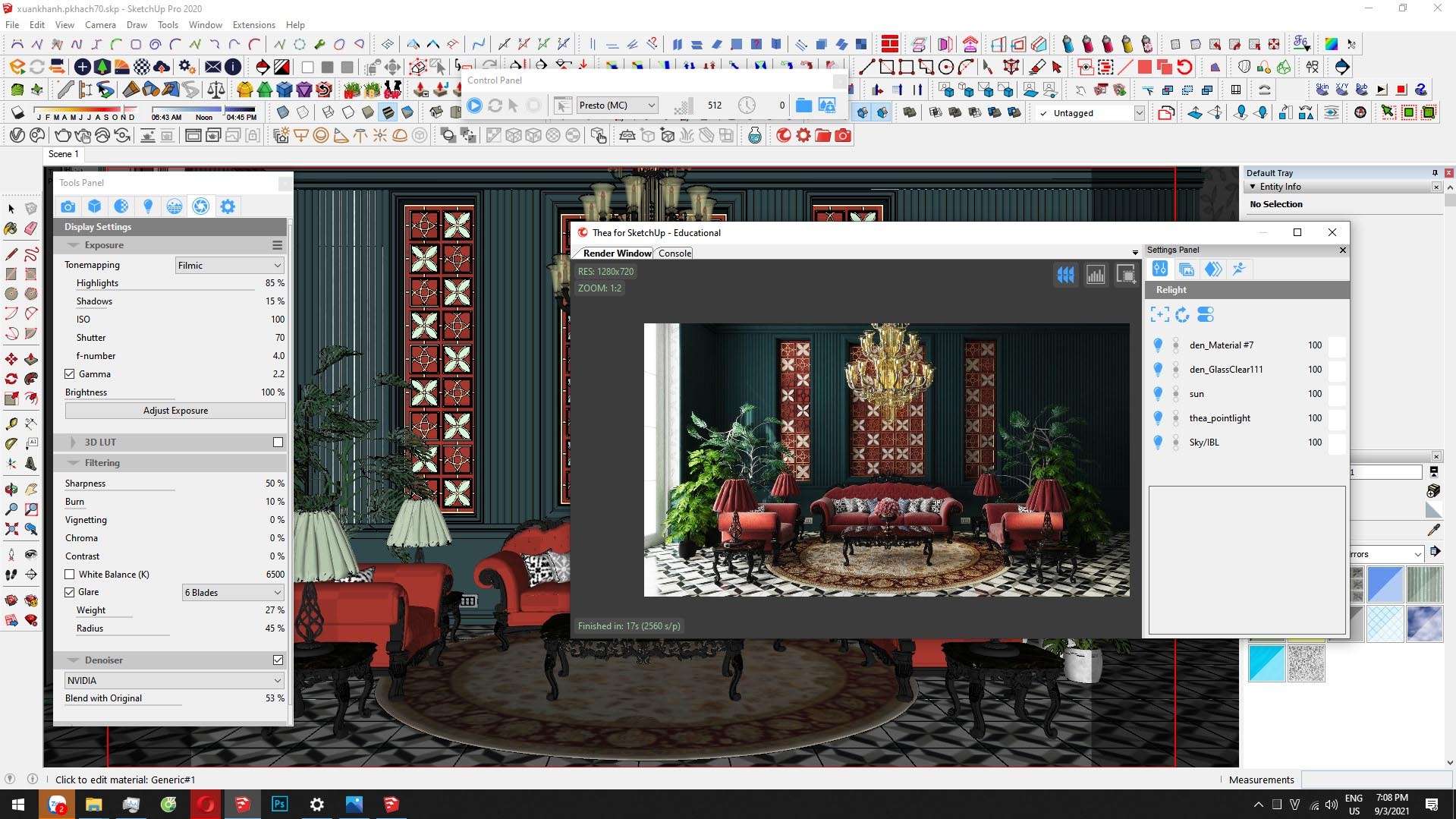
Download Thea For SketchUp v4.0.14 – Photorealistic Rendering Plugin for Architectural Visualization
Thea for SketchUp v4.0.14 is a powerful, physically based rendering plugin developed by Altair Engineering, designed to integrate seamlessly with SketchUp. This software provides architects, interior designers, product designers, and 3D visualization professionals with advanced capabilities for creating photorealistic imagery directly within their familiar SketchUp environment. As an integral part of the SketchUp ecosystem, it leverages Altair’s extensive expertise in rendering technology to enhance visualization workflows.
Seamless Photorealistic Rendering Within SketchUp
Thea for SketchUp offers a tightly integrated experience, functioning as a native plugin that allows users to perform photorealistic rendering without ever leaving the SketchUp application. This direct integration supports the entire SketchUp workflow, from initial modeling to final rendered output, making it an efficient tool for architects, interior designers, product designers, and 3D artists. Version 4.0.14 represents the latest iteration of this technology, building on the foundation of sophisticated rendering and visualization tools.
Flexible Rendering Engines for Every Visualization Need
Users can leverage a variety of rendering engines tailored to different project demands and performance requirements. Thea for SketchUp includes fast Biased rendering engines, ideal for accelerating production workflows, and unbiased path tracing, which provides highly accurate, physically correct lighting simulations for maximum realism. Additionally, the integrated Presto engine offers a hybrid GPU+CPU rendering solution, balancing speed and visual fidelity. Features like adaptive sampling and Interactive Region Rendering further enhance efficiency, allowing for real-time previews and precise control over rendering quality.
Advanced Material and Lighting Systems for Realistic Outcomes
Achieve lifelike materials through Thea for SketchUp’s sophisticated, node-based material editor, which supports a physically based rendering (PBR) workflow. This system synchronizes seamlessly with SketchUp’s native materials, simplifying the transition to advanced shader creation. The software provides a comprehensive suite of lighting tools, including point, spot, and IES profile lights, alongside High Dynamic Range Image (HDRI) environment maps. The physical sun and sky simulation accurately represents natural lighting conditions, while post-rendering adjustments and an expanded IES library offer further control over scene illumination.
Camera Effects and Geometry Management to Enhance Visual Quality
The rendering capabilities extend to realistic camera simulation, with support for physical camera settings such as ISO, shutter speed, and f-stop, enabling shallow depth of field and motion blur effects that mimic professional photography. For managing complex scenes, Thea for SketchUp integrates proxy support and instancing. These features allow for the efficient inclusion of highly detailed assets, such as furniture, vegetation, or complex machinery, without impacting viewport performance or increasing memory load, thereby ensuring smooth handling of large-scale visualization projects.
Efficient Workflow with Animation, Batch Rendering, and AI Denoising
Thea for SketchUp enhances productivity through native support for SketchUp animations, including light animation sequences. Its integrated batch rendering functionality allows for the automated rendering of multiple scenes or variations. A key advancement in recent versions is the inclusion of AI-based denoising, which significantly accelerates the rendering process by intelligently removing noise from final images, resulting in clean, high-quality renders in less time. The user interface has also been streamlined to facilitate a more intuitive and efficient workflow.
Compatibility and Latest Updates in Version 4.0.14
Version 4.0.14 of Thea for SketchUp is optimized for compatibility with the latest SketchUp releases, including SketchUp 2025. This version features significant improvements such as an enhanced Presto GPU kernel for increased rendering speed, optimized material translation for greater accuracy, and an updated AI denoiser for improved performance. These enhancements contribute to a more robust and efficient visualization experience for all users.
Practical Use Cases in Architecture and Design Visualization
Architects can utilize Thea for SketchUp to produce highly realistic exteriors and interiors, showcasing building designs with accurate lighting and material representations. Interior designers benefit from the ability to simulate various lighting scenarios, material finishes, and furniture placements to refine space aesthetics. Product designers can visualize prototypes with intricate details and accurate material properties before manufacturing. Furthermore, landscape architects can create compelling environmental visualizations, integrating structures with natural settings effectively.
Frequently Asked Questions
How does Thea for SketchUp integrate with the SketchUp modeling environment?
Thea for SketchUp functions as a native plugin within SketchUp, enabling photorealistic rendering directly inside the SketchUp viewport. This integration preserves all geometry, groups, and components without requiring re-export, streamlining the visualization workflow.
What rendering engines does Thea for SketchUp support and how do they differ?
Thea for SketchUp offers multiple rendering engines including fast Biased engines for quick production renders, unbiased path tracing for physically accurate results, and the Presto hybrid GPU+CPU engine for a balance of speed and quality. This variety allows users to optimize for either speed or photorealistic detail.
Can Thea for SketchUp handle complex scenes with detailed models efficiently?
Yes, Thea for SketchUp supports proxy objects and instancing, allowing highly detailed assets like trees and furniture to be rendered without overloading SketchUp’s viewport or consuming excessive memory, enabling smooth handling of complex visualization projects.






Reviews
There are no reviews yet.