
Download UniSoft Geotechnical Solutions UniPile 5.0.0.60 – Advanced Pile Design Software
UniPile 5.0.0.60, developed by UniSoft Geotechnical Solutions, is specialized geotechnical software designed for advanced pile design and analysis. It serves civil engineers and geotechnical specialists by providing a methodical approach to calculating the capacity and behavior of piles under various load conditions. This tool is crucial for infrastructure projects where foundation design is paramount.
Introduction to UniPile and Its Applications
Overview of the Software Features
UniPile is a comprehensive engineering application focused on the design and analysis of piles, a fundamental component in the foundations of many structures. Developed by UniSoft Geotechnical Solutions, this software aims to assist geotechnical engineers and civil engineering professionals in performing complex calculations with greater accuracy and efficiency. Its implementation supports various analytical methods to ensure robust foundation design for diverse engineering challenges.
Pile Design Methods Supported by UniPile
Understanding Beta-method, Alpha-method and More
UniPile incorporates a variety of established methodologies essential for accurate pile design. This allows engineers to select the most appropriate analysis technique based on project-specific conditions and data availability:
- Beta-method: Utilizes effective stress parameters for analyzing shaft resistance.
- Alpha-method: Employs undrained shear strength for cohesive soils.
- CPT (Cone Penetration Test) Methods: Integrates data from CPT soundings to estimate pile capacity.
- SPT (Standard Penetration Test) Methods: Leverages SPT blow counts for soil characterization and capacity estimation.
- Eslami and Fellenius Method: A notable method that considers effective stresses and soil types for comprehensive analysis.
- Schmertmann and Nottingham Method: Supports the analysis of pile settlement based on CPT data.
Soil and Pile Data Handling
Excel-based Data Input Interface
UniPile offers a streamlined approach to data input, enabling engineers to manage complex soil profiles and pile properties effectively. The software allows for detailed soil layer definition and accommodates various pile structural parameters:
- Users can input data for up to 25 distinct soil layers, each with its own set of engineering properties.
- The interface supports the definition of soil parameters such as effective stress, total stress, pore pressure, and undrained shear strength.
- Flexible input options allow for specifying different pile types, geometries, and material properties.
- The grid-based system provides a clear overview of the soil stratigraphy and corresponding input values, simplifying data entry and review.
Settlement and Load Analysis
Techniques for Calculating Pile Settlement
Accurately predicting pile settlement is critical for the serviceability of structures. UniPile employs advanced techniques to simulate how piles will behave under applied loads, considering factors like soil-pile interaction and load distribution:
- The software calculates both elastic and deformation settlements by analyzing the stress-strain behavior of the soil.
- It utilizes various t-z (skin friction vs. displacement) and q-z (tip resistance vs. displacement) functions to model the load-transfer mechanisms along the pile shaft and at the pile toe.
- These analyses are essential for ensuring that excessive settlements do not compromise the integrity or functionality of the superstructure.
Load Testing Simulation in UniPile
Simulating Static and Bidirectional Tests
UniPile enables engineers to simulate various load testing scenarios to validate design assumptions and predict actual pile performance. This capability is crucial for assessing the adequacy of the foundation under service and ultimate load conditions:
- The software supports the simulation of static axial load tests, allowing users to model the incremental application of load and observe corresponding pile head displacement.
- It also facilitates the simulation of bidirectional static load tests, which are effective for assessing the capacity of individual pile segments and the overall pile.
- By interpreting simulated load-displacement curves, engineers can confirm the pile’s capacity and its behavior under various loading patterns.
Exporting Results and Data Management
Data Export Options in UniPile 5.0
Effective reporting and integration with other project phases are facilitated by UniPile’s robust data export capabilities. The software ensures that analysis results can be easily shared, reviewed, and incorporated into broader project documentation:
- Analysis results, including capacity calculations, settlement predictions, and load test simulations, are available for export.
- Users can export data in various formats, such as Microsoft Excel spreadsheets and tab-delimited files.
- This flexibility allows for further post-processing, custom reporting, and integration with other civil engineering design and analysis tools.
Frequently Asked Questions
What methods does UniPile use for pile design?
UniPile supports several robust methods for pile design, including the beta-method, alpha-method, and methodologies derived from SPT and CPT data. This array of techniques allows for versatile analysis, enabling users to select the most appropriate design approach based on specific project requirements and the available geotechnical investigation data.
Can UniPile handle multiple soil layers in analysis?
Yes, UniPile is capable of accommodating analyses involving up to 25 distinct soil layers. This feature allows engineers to input varied soil strength parameters and pore pressures for each layer, providing a detailed and accurate representation of complex subsurface conditions critical for reliable pile design.
How does UniPile facilitate result visualization?
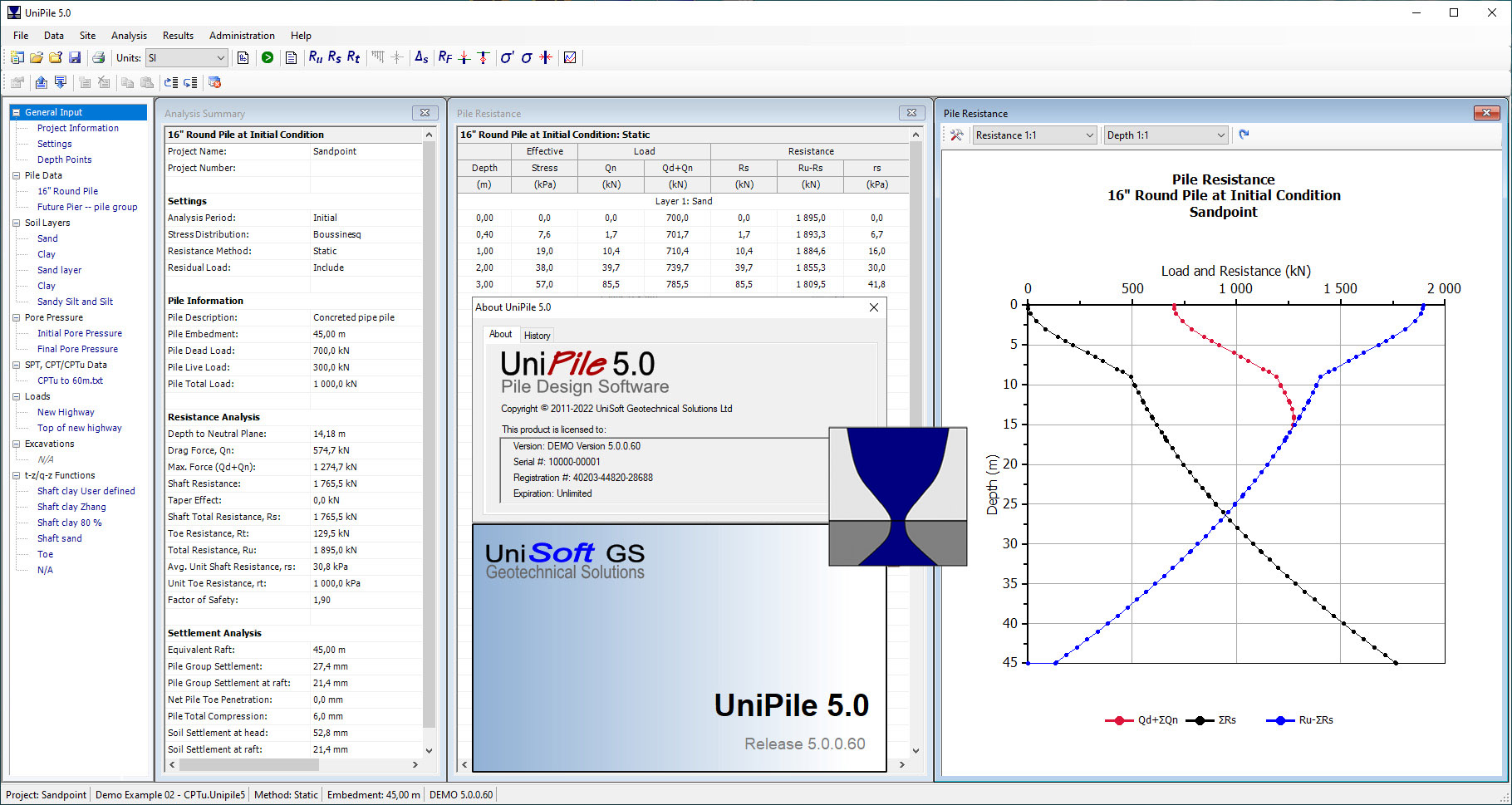
UniPile presents analysis results through both comprehensive tabular data and clear graphical representations. These outputs can be conveniently exported to Microsoft Excel or in a tab-delimited format, significantly enhancing the user’s ability to visualize, interpret, and incorporate findings into detailed engineering reports.






Reviews
There are no reviews yet.