

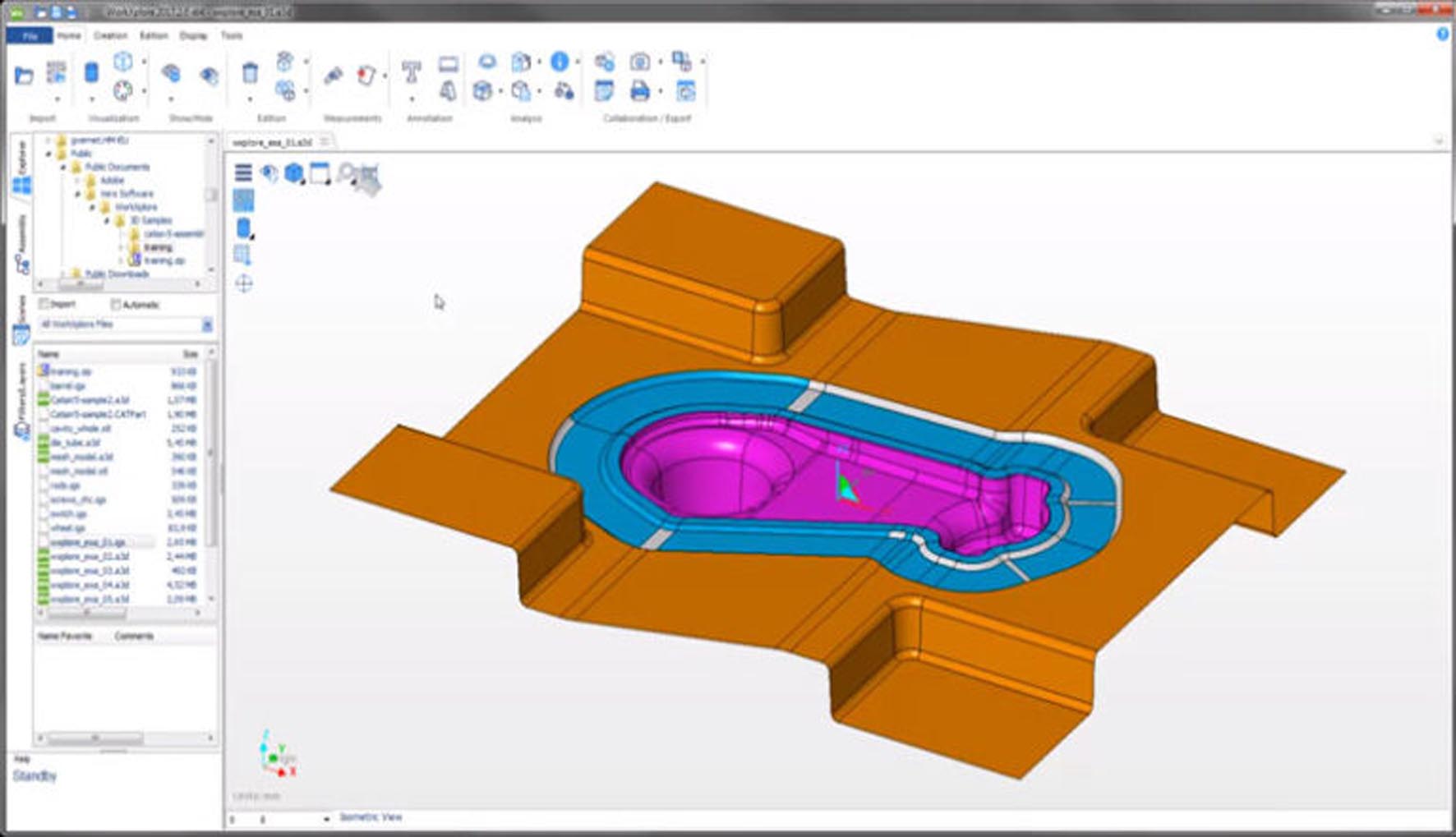
Download Vero WorkXplore 2025 – Advanced 3D CAD Viewer for Mechanical and Manufacturing
Vero WorkXplore 2025 is a high-performance 3D CAD viewer and collaboration tool designed by Vero Software, a key part of Hexagon Manufacturing Intelligence. It caters to professionals in mechanical engineering, manufacturing, automotive, aerospace, and industrial design, providing essential capabilities for interrogating and communicating complex CAD data. This software empowers multidisciplinary teams to effectively utilize detailed engineering information without requiring access to the original authoring CAD applications.
Overview of Vero WorkXplore and Its Role in Manufacturing Engineering
Vero WorkXplore serves as a critical component in modern manufacturing engineering workflows, offering more than just visualization. It functions as a comprehensive platform for interpreting, analyzing, and sharing complex 3D CAD data. Positioned within the Hexagon Manufacturing Intelligence suite, WorkXplore is tailored for industries reliant on precise design and efficient production, including automotive, aerospace, and industrial design sectors. Its primary role is to bridge the gap between design departments and the shop floor by making intricate CAD models accessible and actionable for a broader range of professionals.
Comprehensive CAD File Support and High-Performance Data Handling
Optimized for efficiency, Vero WorkXplore 2025 supports a vast array of native CAD formats, ensuring interoperability across different design environments. This includes direct support for files originating from industry-leading software such as CATIA, SOLIDWORKS, Siemens NX, Creo, Inventor, and Solid Edge. Additionally, it handles widely adopted neutral formats like STEP, IGES, JT, and 3D PDF. The software features a highly optimized graphics engine engineered for the rapid loading and manipulation of extremely large assemblies, often comprising over 100,000 individual parts. This capability ensures that assembly structure, metadata, and graphical integrity are maintained even when dealing with the most complex product designs.
Advanced Measurement, Analysis, and Visualization Tools
Vero WorkXplore 2025 equips users with a robust suite of tools for in-depth analysis and precise interrogation of 3D models. Its measurement capabilities allow for accurate linear, angular, radial, and surface assessments, providing critical data for verification tasks. Dynamic sectioning tools enable viewers to slice through complex assemblies using various cutting planes and options, revealing internal structures and details. For design validation, the software offers sophisticated interference and clearance analyses to identify potential collisions or fitting issues. Enhanced visualization options further aid detailed inspection, ensuring all critical aspects of a design are clearly understood.
Collaboration Features Enhancing Cross-Department Communication
Effective collaboration is a cornerstone of Vero WorkXplore 2025, facilitated by intuitive markup and annotation functionalities. Users can directly add notes, callouts, dimensions, and persistent markup elements onto the 3D models, annotating specific areas of interest or concern. The revision comparison feature is particularly valuable, clearly highlighting geometrical changes between different versions of a design, which is essential for tracking progress and managing updates. Teams can also generate static snapshots, create animations, and develop 2D layouts directly from the 3D data, which are crucial for generating reports, assembly instructions, and quality documentation.
Manufacturing Integration and Production Workflow Support
Vero WorkXplore 2025 significantly streamlines the transition from design to production by offering direct integration with manufacturing processes. It supports automatic extraction of Bills of Materials (BOM), providing accurate part lists essential for procurement and assembly planning. The software also allows for the viewing of Product Manufacturing Information (PMI) and Geometric Dimensioning and Tolerancing (GD&T) annotations directly on the 3D models. Furthermore, its integration with Vero EdgeCAM and other Vero CAD software solutions enables toolpath visualization, offering a direct link to COMPUTER-AIDED MANUFACTURING (CAM) workflows. These features are fundamental to ensuring design intent is accurately translated into shop floor execution and reducing errors.
What’s New in Vero WorkXplore 2025
The 2025 release of Vero WorkXplore introduces several key enhancements aimed at improving user experience and analytical capabilities. Notable updates include a modernized user interface featuring a familiar ribbon design, which improves navigation and accessibility. Significant performance optimizations have been implemented for loading speed and memory management, further enhancing the handling of large assemblies. Support for Model-Based Definition (MBD) has been expanded, providing deeper insights into design intent. Integration with Vero CAM software has also been strengthened, and reporting functionalities, including 3D PDF output, have been upgraded to provide more robust documentation options.
Frequently Asked Questions
How does Vero WorkXplore 2025 improve collaboration between design and manufacturing teams?
Vero WorkXplore 2025 enables efficient collaboration by allowing users to view, annotate, and compare complex 3D CAD models without needing the original authoring software. Its markup tools and revision comparison features facilitate clear communication across engineering, production, and quality departments, ensuring everyone is working with the most current and understood design data.
What CAD file formats can Vero WorkXplore 2025 open and handle?
WorkXplore supports a wide range of native CAD formats such as CATIA, SOLIDWORKS, Siemens NX, Creo, Inventor, and Solid Edge, as well as neutral formats including STEP, IGES, JT, 3D PDF, and DWG. It preserves assembly structures, colors, and metadata for accurate model interrogation, ensuring data fidelity across different systems.
Can Vero WorkXplore 2025 be used for validating mechanical designs before manufacturing?
Yes, WorkXplore includes precise measurement tools, dynamic sectioning, interference and clearance analysis, and PMI viewing capabilities. These functionalities help engineers verify and validate designs thoroughly to ensure manufacturability and reduce errors or costly rework before production commences.





Reviews
There are no reviews yet.