

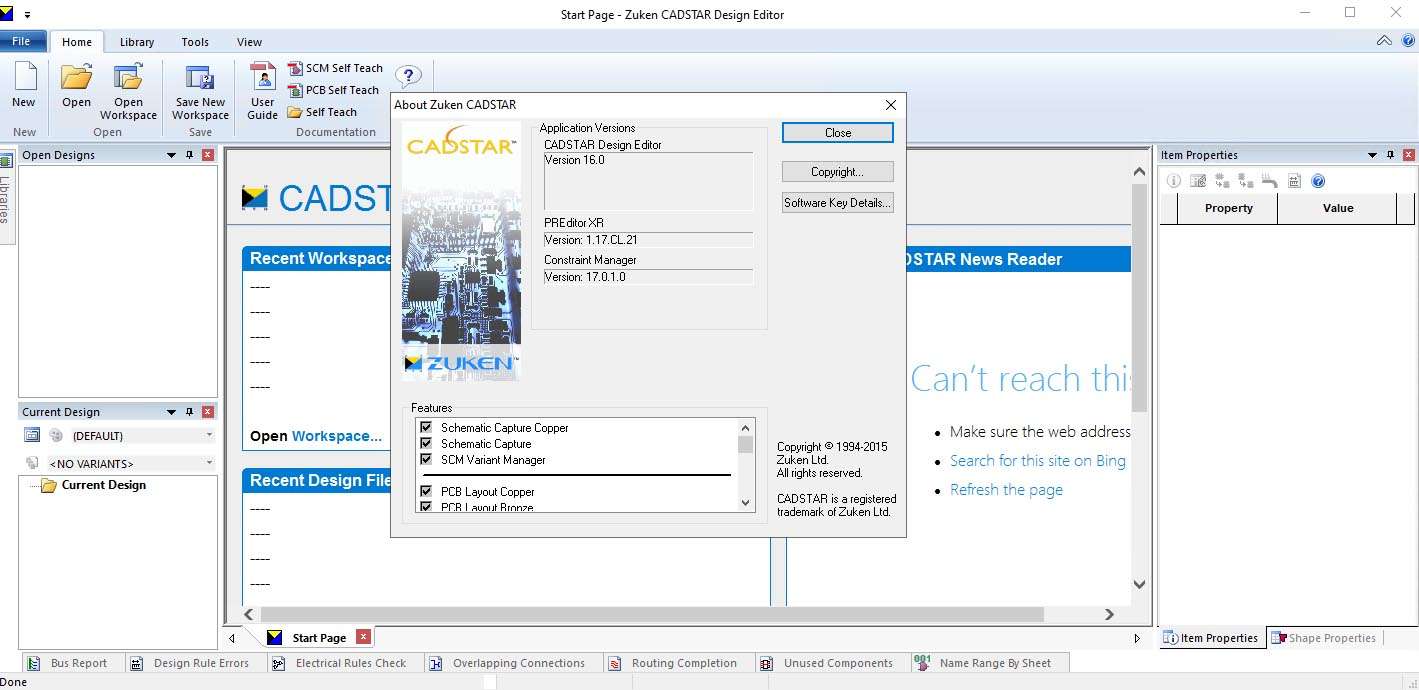
Download Zuken CADSTAR 16.0 – Advanced PCB Design Software
Zuken CADSTAR 16.0 is a professional Electronic Design Automation (EDA) tool developed by Zuken Inc. for comprehensive printed circuit board (PCB) design and manufacturing. As a Windows-based solution, it supports the creation of schematic diagrams and intricate multilayer PCB layouts, serving a wide range of professionals in electronics manufacturing, automotive, aerospace, and medical device industries. CADSTAR has a long-standing history, originally developed in 1988 and advanced yearly by Zuken, with version 16.0 focusing on enhanced high-speed design capabilities, a modernized user interface, and improved performance.
Overview of Zuken CADSTAR and Its Role in PCB Design
Zuken CADSTAR represents a mature yet continuously evolving Electronic Design Automation (EDA) suite tailored for the meticulous demands of PCB design and production. Originating from Racal-Redac and now under the stewardship of Zuken Inc., CADSTAR has established itself as a robust platform for creating everything from simple to complex multilayer PCBs. Its architecture is built around modularity, allowing engineers to engage with specific aspects of the design process, from initial schematic capture through to the generation of final manufacturing data, thereby playing a critical role in the electronics manufacturing lifecycle.
Robust Schematic Capture and PCB Layout Tools
The Design Editor module within Zuken CADSTAR 16.0 provides a comprehensive environment for initiating and refining PCB designs. It supports the creation of detailed schematic diagrams, enabling engineers to define the electrical connections and functionality of a circuit. Following schematic capture, the tool facilitates precise component placement on the PCB layout. Zuken CADSTAR integrates both manual and automated routing options, including specialized capabilities for high-speed design constraints, ensuring that complex board designs can be efficiently and accurately routed to meet performance requirements.
Library and Component Management for Streamlined Design
Effective component management is crucial for efficient PCB design, and Zuken CADSTAR addresses this through its Library Editor. This tool allows for the creation and maintenance of symbol and component footprint libraries, ensuring consistency and accuracy across designs. The software supports a robust component database, simplifying the process of selecting and placing parts. Furthermore, CADSTAR’s variant management capabilities enable designers to handle product variations within a single design project, enhancing flexibility and reducing the effort required for different product configurations.
Advanced Routing and Signal Integrity Analysis
Zuken CADSTAR 16.0 incorporates advanced routing tools, including the Embedded Router and P.R.Editor, to handle complex board geometries and signal pathways. Crucially, these tools offer specialized features for high-speed routing. Beyond routing, the software provides integrated tools for signal and power integrity verification. These capabilities allow engineers to analyze and optimize the electrical performance of their designs, identify potential issues such as reflections or crosstalk, and ensure the reliability of signals, especially in demanding applications.
Design Rule Checking and Compliance Assurance
Ensuring manufacturability and performance adherence is critical in PCB design. Zuken CADSTAR 16.0 offers comprehensive Design Rule Checking (DRC) capabilities, supporting both real-time checks during the design process and batch checks. Engineers can define and customize a wide array of rules to match specific manufacturing requirements, board materials, and design specifications. This meticulous approach to DRC helps to prevent design errors, minimize manufacturing defects, and ensure compliance with electromagnetic compatibility (EMC) guidelines.
Manufacturing Output Generation and MCAD Integration
Zuken CADSTAR streamlines the transition from design to manufacturing by automating the generation of essential production files. This includes standard outputs like Gerber files for photoplotting, ODB++ for manufacturing data exchange, and drill files. Additionally, it can produce pick-and-place data for automated assembly. Version 16.0 also facilitates seamless integration with mechanical CAD (MCAD) tools, offering 3D visualization of the PCB assembly. This interconnection allows for better coordination between electrical and mechanical engineers, enabling early detection of fit and interference issues.
Enhancements and New Features in Version 16.0
Version 16.0 of Zuken CADSTAR introduces significant enhancements designed to improve the user experience and design capabilities. A modernized user interface (UI) provides a more intuitive and efficient working environment. High-speed design support has been substantially upgraded, featuring improved management of differential pairs, length matching, and precise timing rules essential for contemporary electronics. Performance has also been optimized, particularly for handling large and complex designs, alongside expanded import and export compatibility for greater interoperability with other tools and systems.
Use Cases and Industries Benefiting from CADSTAR
Zuken CADSTAR is utilized across a broad spectrum of industries where precision electronics are paramount. Electronics manufacturing companies leverage it for everything from consumer gadgets to complex industrial controllers. In the automotive sector, CADSTAR assists in designing control units and infotainment systems, while in medical devices, it supports the creation of safety-critical instrumentation. Developers of aerospace components and sophisticated construction machinery also rely on its capabilities for reliable PCB design, demonstrating its versatility and robustness in demanding engineering environments.
Frequently Asked Questions
What new capabilities does CADSTAR 16.0 offer for high-speed PCB design?
CADSTAR 16.0 introduces enhanced constraint management for differential pairs, length matching, and timing rules, helping engineers better manage high-speed signal integrity and design reliability. These improvements facilitate more accurate and efficient routing in complex PCB layouts, ensuring that high-frequency signals are managed effectively throughout the design process.
How does CADSTAR support manufacturing data generation for PCB production?
CADSTAR automates generating manufacturing files such as Gerber, ODB++, drill files, pick-and-place data, and bill of materials, ensuring designs are production-ready and compliant with manufacturing standards. This comprehensive output capability reduces potential errors during fabrication and assembly, thereby accelerating the overall time-to-market for new electronic products.
Can CADSTAR integrate with mechanical CAD tools for 3D PCB visualization?
Yes, CADSTAR provides 3D board visualization and supports data exchange with mechanical CAD (MCAD) systems, enabling designers to coordinate electronic and mechanical aspects of the product design seamlessly. This integration allows for a holistic view of the product, facilitating early detection of mechanical interferences and ensuring a cohesive final product.



Reviews
There are no reviews yet.