

Download Adobe Photoshop Lightroom 9.2 – Advanced Photo Management & AI Editing
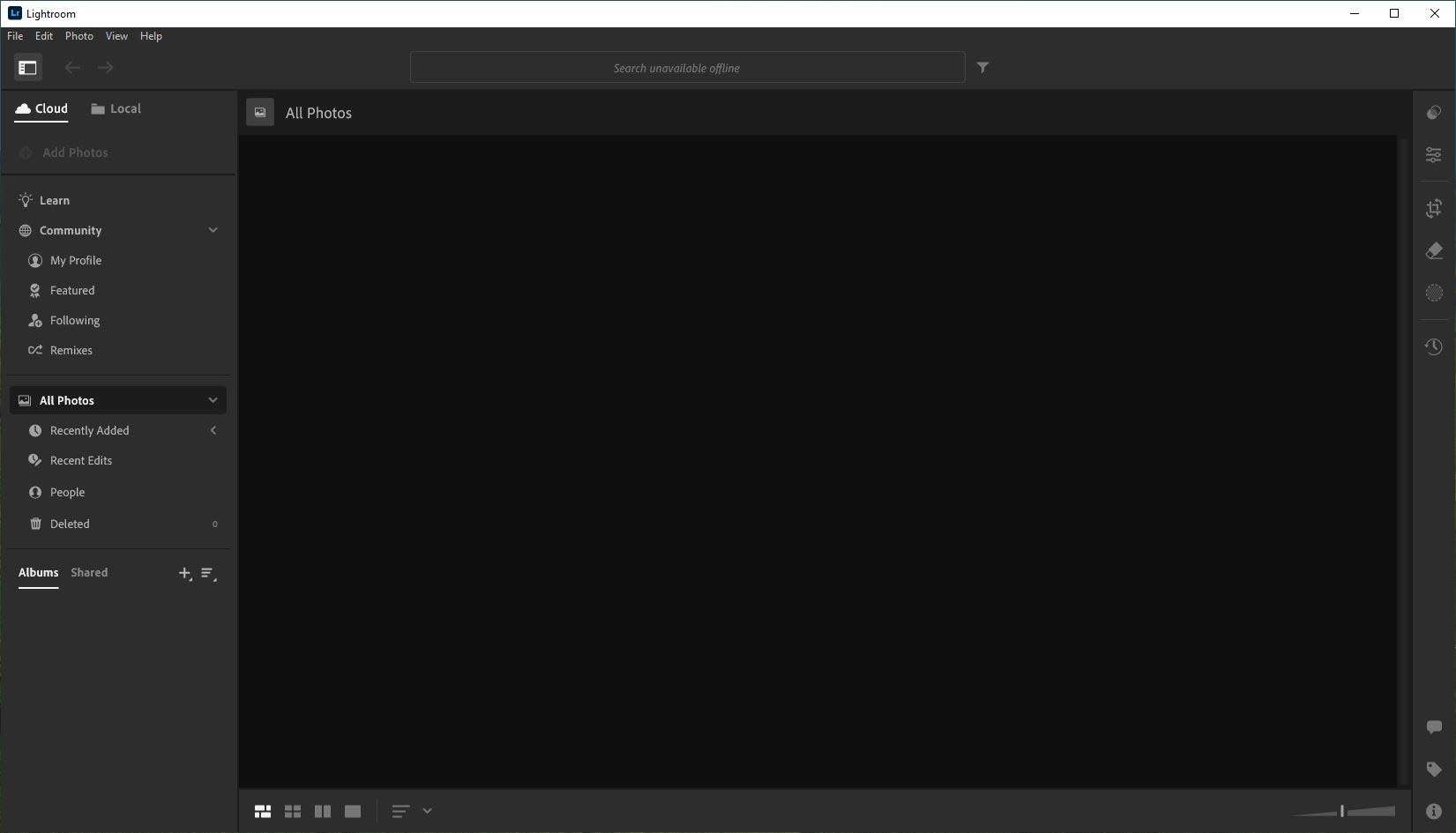
Adobe Photoshop Lightroom 9.2 is a comprehensive application developed by Adobe Inc. for professional photographers, focusing on efficient photo organization and sophisticated non-destructive editing. It is designed to streamline workflows for various photography fields, including studio, event, landscape, portrait, and travel photography, by leveraging advanced cataloging and editing tools.
Streamlined Photo Organization for Professional Workflows
Lightroom’s foundation lies in its robust system for managing large volumes of photographic assets, enabling professionals to quickly locate, sort, and prepare images for editing. This organizational framework is crucial for maintaining efficiency in demanding professional environments.
Parametric Cataloging and Metadata Management
Lightroom employs a non-destructive editing methodology, meaning all adjustments are stored as instructions within a catalog database, leaving original image files untouched. The application fully supports EXIF and IPTC metadata standards, allowing for detailed tagging and searching. Features such as face recognition and the ability to create custom metadata fields further enhance the organization of extensive image libraries.
Collections, Smart Previews, and Filtering
Users can group images into “Collections” for specific projects or themes, which can be further organized into “Collection Sets.” Even when original files are offline, “Smart Previews” allow for extensive editing. Advanced filtering options based on metadata, camera settings, star ratings, and flags enable rapid identification of desired images from vast archives.
Develop Module: Precision Global and Local Adjustments
The Develop module is the core of Lightroom’s editing capabilities, offering a wide array of tools for image enhancement without altering the original file data. Both broad adjustments and targeted corrections are easily achievable.
Global Controls
This section houses primary controls for image refinement, including adjustments for exposure, contrast, highlights, shadows, whites, and blacks. Advanced tone curves offer precise control over tonal range, while white balance and color grading tools allow for accurate or creative color adjustments.
Local Editing Tools
For targeted adjustments, Lightroom provides tools like the Graduated Filter, Radial Filter, and Adjustment Brush. Version 9.2 incorporates refinements in its auto-masking edge detection, enabling more precise application of edits to specific areas or subjects within an image.
Enhanced AI-Powered Capabilities in Version 9.2
Adobe Photoshop Lightroom 9.2 integrates advanced Artificial Intelligence (AI) features designed to automate complex editing tasks, significantly reducing the time required for post-processing.
AI Denoise and Noise Reduction
The AI Denoise feature in Lightroom 9.2 offers substantial improvements in handling noise, particularly in images captured under low-light conditions. This tool effectively suppresses noise while working to preserve critical image detail and texture, yielding cleaner, more professional results.
Automatic Subject & Sky Selection
New AI-driven masking capabilities allow for one-click automatic selection of subjects and skies. This feature simplifies the process of applying local adjustments, enabling users to quickly target these prominent image elements for modification.
These AI masks can be combined to create complex selections. Users can further refine these masks using the brush tool or leverage options for enhanced blending and sky replacement, streamlining intricate retouching tasks.
Batch Processing and Custom Preset Ecosystem
Lightroom excels at applying edits consistently across multiple images, a critical function for professionals handling large batches of photos.
Applying and Syncing Edits at Scale
Features like Auto Sync allow for edits made to one selected image to be applied to all other selected images simultaneously. Users can also copy and paste settings from one image to another or use the “Match Total Exposures” function for rapid batch adjustments.
Creating and Sharing Presets
Users can create their own custom presets based on their editing choices, saving them for future use or sharing within the photography community. Lightroom also supports importing presets created by others, expanding creative possibilities and providing access to a vast library of looks.
Cross-Platform Integration and Cloud Synchronization
Lightroom 9.2 is part of the Adobe Creative Cloud ecosystem, offering seamless integration across various platforms and devices.
Creative Cloud Sync Across Devices
The cloud-based version of Lightroom (Lightroom CC) synchronizes photo libraries across desktop, mobile, and web applications. Edits made on one device are reflected on all others in near real-time, facilitated by cloud storage options.
Mobile Editing and Web Access
Dedicated Lightroom mobile applications for iOS and Android devices provide full editing and organization capabilities on the go. Users can also access and manage their photos through a web browser, enabling proofing and sharing from any internet-connected device.
Export Options and Distribution Workflows
Lightroom provides versatile options for exporting images in various formats and resolutions, tailored for different distribution needs.
Flexible Output Formats
Images can be exported as JPEG, TIFF, PSD, DNG, or PNG files. The export dialog offers extensive customization for file naming, watermarking, color space, image quality, and output sharpening, ensuring images meet specific project requirements.
Publishing and Sharing
Integrated options facilitate direct publishing to social media platforms or to personalized Adobe Portfolio websites. The Print module offers layout tools for creating print-ready layouts, while integration with Adobe Portfolio allows for seamless creation of online galleries.
Comparing Lightroom 9.2 and Lightroom Classic
Adobe offers two primary versions of Lightroom, each catering to different professional workflows.
Lightroom 9.2 (the cloud-centric version) emphasizes accessibility and cross-device synchronization, storing originals and edits in the cloud, making it ideal for photographers needing mobility and seamless syncing. Lightroom Classic, conversely, prioritizes local storage on desktop hard drives, offering a more comprehensive feature set tailored for studio professionals. Classic includes advanced tools such as tethered capture directly from camera, more extensive book and slideshow creation modules, and a wider range of organizational controls.
Frequently Asked Questions
What new AI features are introduced in Lightroom 9.2?
Lightroom 9.2 introduces advanced AI Denoise for superior low-light noise removal, improved subject and sky selection masks for one-click automatic masking, and more precise AI-powered sky replacement tools. These updates significantly speed up complex selections and deliver cleaner images with reduced manual effort.
What are the main differences between Lightroom 9.2 and Lightroom Classic?
Lightroom 9.2 is cloud-first, offering seamless cross-device syncing, a simplified interface, and web/mobile access. Lightroom Classic focuses on local storage, advanced catalog features like tethered capture and print layouts, and a more comprehensive Develop toolset optimized for desktop-centric studio workflows.
Which file formats are supported by Lightroom 9.2?
Lightroom 9.2 supports a wide range of formats, including major RAW files from most camera manufacturers, as well as JPEG, TIFF, PSD, PNG, and DNG. It also handles CMYK color spaces by converting them to RGB for editing and supports basic trimming and color adjustments for select video formats.






Reviews
There are no reviews yet.