

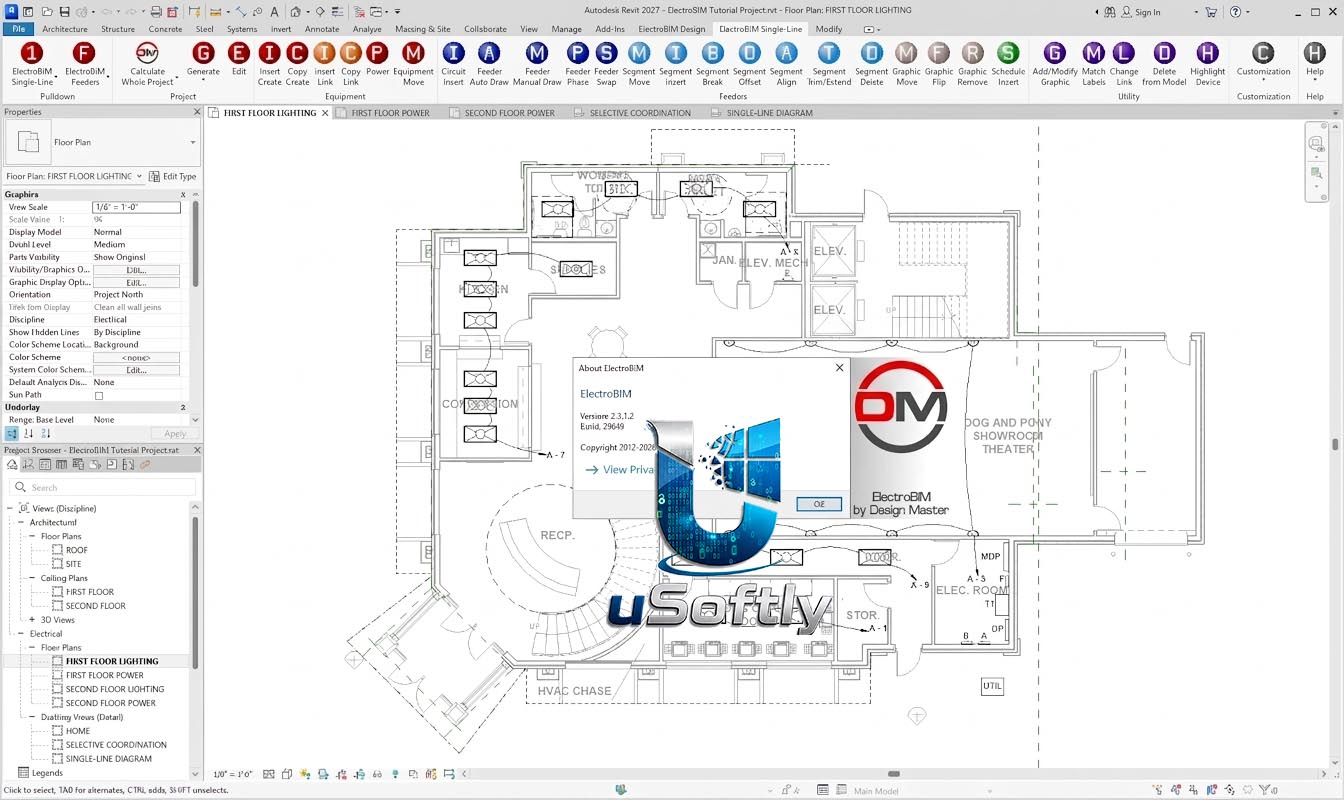
Design Master Software ElectroBIM v2.3.1.2 – Professional Electrical Design and Calculation Software for Revit MEP
ElectroBIM is a Building Information Modeling (BIM) add-in specifically designed for electrical engineers working in Autodesk Revit. Unlike standard Revit electrical features, ElectroBIM provides advanced calculation capabilities that are essential for professional electrical design . It bridges the gap between the 3D electrical model, engineering calculations, and single-line schematic diagrams within a single Revit project .
The software integrates electrical calculations directly into the Revit environment, writing results to Revit parameters for use in schedules, tags, and documentation . This approach ensures that the electrical model, calculations, and documentation remain synchronized as the design evolves.
Version 2.3.1.2 is the latest release, providing full compatibility with Autodesk Revit 2027 and introducing enhanced calculation features and UI improvements.
Primary Users
ElectroBIM v2.3.1.2 is designed for electrical engineers, MEP designers, and BIM coordinators who use Autodesk Revit for building systems design. It serves professionals who need to:
-
Perform advanced electrical calculations directly within Revit, including voltage drop, fault current, and arc-flash analysis
-
Automate wire and breaker sizing for feeders and branch circuits based on NEC requirements
-
Generate and maintain single-line diagrams that update automatically as the model changes
-
Ensure selective coordination between protective devices
-
Produce code-compliant documentation for electrical distribution systems
Key Features & Capabilities
Electrical Calculations
-
Voltage Drop Calculations: Computes voltage drop for feeders and branch circuits, with automatic wire upsizing to meet maximum voltage drop requirements
-
Short Circuit and Fault Calculations: Performs fault current calculations for electrical distribution systems
-
Arc Flash Analysis: Calculates incident energy and generates arc-flash warning labels in compliance with IEEE 1584 and NFPA 70E
-
Selective Coordination: Evaluates coordination between protective devices to ensure proper overcurrent protection sequencing
Wire and Breaker Sizing
-
Automatic Feeder and Branch Circuit Sizing: Selects cables and overcurrent protective devices based on load calculations
-
Custom Transformer OCP Sizes: Allows engineers to define default overcurrent protection sizes for transformers
-
Specific Wire Sizing Options: Enables different sizing methods for individual feeders
-
Double Neutral Wire Sizing: Accounts for current-carrying conductor adjustments per NEC 310.15(C)(1)
-
Ambient Temperature Adjustments: Adjusts conductor sizing based on NEC 310.15(B)(1)
Single-Line Diagrams
-
Automated Diagram Generation: Single-line diagrams are built from the model and update automatically when the model changes
-
Generate Riser Command: Inserts part or all of a single-line diagram into a Revit drafting view
-
Graphic Family Definitions: Uses cached graphic families for single-line diagram symbols
User Interface Enhancements
-
Calculate Part of Project Button: Runs calculations without closing dialog boxes
-
Highlight Panel and Highlight Circuit Buttons: Helps locate devices in the Revit model
-
Pulldown Menus: Provides quick access to Design Master commands
-
Instance Edit Dialog: Supports editing multiple instances at once




Reviews
There are no reviews yet.