

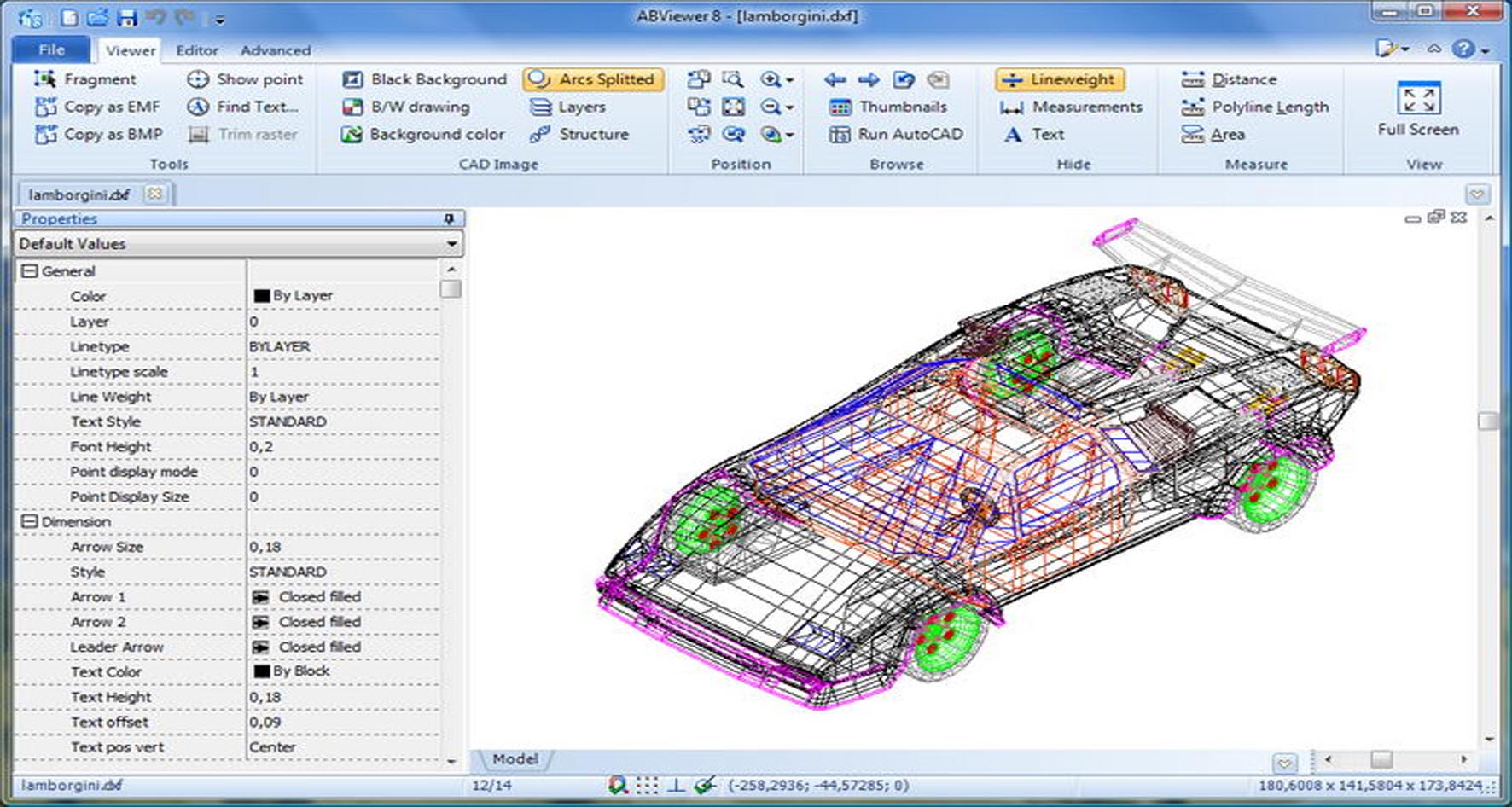
Download ABViewer Enterprise 15.2 – Comprehensive CAD Viewing and Conversion Software
ABViewer Enterprise 15.2, developed by CADSoftTools, is a universal CAD viewer and converter designed for Windows operating systems. It serves professionals in mechanical engineering, manufacturing, quality assurance, and sales departments by providing essential access to technical CAD drawings and 3D models without requiring expensive CAD software licenses. This tool is invaluable for streamlining workflows that involve technical data across various departments.
Overview of ABViewer Enterprise 15.2 and Its Role in Mechanical and Manufacturing CAD
ABViewer Enterprise 15.2 is a powerful utility that bridges the gap between complex CAD modeling software and basic viewing applications. Developed by CADSoftTools, it is engineered to meet the demands of modern mechanical and manufacturing industries. The software’s primary role is to facilitate efficient access, analysis, and conversion of CAD data, directly supporting professionals and departments that interact with technical drawings and 3D models as part of their daily operations. Its design caters to users who require precise data interpretation without the need for full-fledged CAD authoring capabilities.
Extensive Support for 2D and 3D CAD File Formats
One of the key strengths of ABViewer Enterprise 15.2 is its comprehensive support for a wide array of CAD file formats, ensuring broad compatibility across different design environments. This extensive format handling is crucial for interoperability in collaborative projects and data exchange.
- 2D CAD Formats: The software can open and display common 2D formats including DWG, DXF, DWF, and PDF. Additionally, it supports various raster image formats commonly used in technical documentation.
- 3D CAD Formats: For 3D data, ABViewer Enterprise handles industry-standard formats such as STEP, IGES, STL, OBJ, and Parasolid.
- Native CAD Formats: Through integrated converters, it provides viewing and conversion capabilities for native files originating from major CAD systems like SolidWorks, Autodesk Inventor, CATIA, Siemens NX, and PTC Creo, allowing direct access to design data without requiring the originating software.
Advanced Measurement and Technical Analysis Features
ABViewer Enterprise 15.2 equips users with robust tools for detailed technical analysis and precise measurement of both 2D drawings and 3D models. These features are vital for quality control, design verification, and precise data extraction.
- 2D Measurement Tools: Users can perform accurate linear, angular, radial, and area measurements directly on 2D CAD files.
- 3D Measurement Capabilities: The software extends precise measurement functions to 3D models, allowing users to determine distances, angles, and radii between various geometric elements like points, edges, and faces.
- 3D Model Analysis: Advanced functionalities include the ability to create cross-sections of 3D models to inspect internal structures and generate standard views (top, bottom, front, back, left, right, isometric) from 3D data for clearer visualization.
Tools for Drawing Comparison, Editing, and Annotation
Enhancing collaboration and revision management, ABViewer Enterprise 15.2 offers features for comparing drawings, performing basic edits, and adding annotations for clear communication.
- Drawing Comparison: A dedicated tool allows users to visually compare two versions of 2D DWG or DXF drawings, highlighting all differences directly on the screen to facilitate precise revision tracking and quality assurance.
- Basic 2D Editing: The software includes fundamental editing capabilities for DWG and DXF files. This enables users to modify text elements, dimensions, lines, and other basic graphical objects, providing flexibility for minor adjustments without needing full CAD software.
- Markup and Annotation: Professionals can add redlines, comments, and other annotations to drawings and models, embedding remarks directly into the file or creating separate markup sets, which is beneficial for review cycles and feedback loops.
Batch Processing and Efficient File Conversion Capabilities
ABViewer Enterprise 15.2 significantly boosts productivity through its efficient batch processing and file conversion features, enabling users to handle large volumes of CAD files with ease.
- Batch Conversion: The software supports the conversion of hundreds of files simultaneously. Users can select multiple files and convert them to various target formats in a single operation, optimizing workflows in manufacturing and engineering environments.
- Format Interoperability: Key conversion capabilities include transforming DWG files to PDF, STEP to STL, and many other format combinations. This ensures that technical data can be readily shared and utilized across different platforms and applications.
- Workflow Automation: Batch processing automates repetitive conversion tasks, saving considerable time and reducing the potential for manual errors, particularly useful in data management and archiving processes.
Output Options: Printing, Exporting, and 3D PDF Generation
ABViewer Enterprise 15.2 provides versatile output options to support various documentation and sharing requirements, including advanced printing, vector and raster exporting, and the creation of interactive 3D PDFs.
- Advanced Printing: The software features robust printing capabilities, including tiled printing which is essential for large-format plotters, and precise scaling options to ensure accurate representation of technical drawings on paper.
- Export to Multiple Formats: Users can export their CAD drawings and models to a range of raster formats such as BMP, JPG, and TIFF, as well as vector formats including SVG and a variety of PDF options.
- 3D PDF Creation: A notable feature is the ability to export 3D models into interactive 3D PDF files. This allows stakeholders without specialized CAD software to view, rotate, zoom, and inspect 3D models within a standard PDF viewer, enhancing communication and review processes.
Practical Applications and User Scenarios Across Industries
ABViewer Enterprise 15.2 finds practical use in numerous scenarios across different departments within the mechanical engineering and manufacturing sectors, offering a cost-effective solution for accessing and working with CAD data.
- Procurement Departments: Can quickly view and verify specifications from supplier drawings (e.g., DWG, STEP) without needing expensive CAD software licenses.
- Quality Assurance (QA): Utilizes measurement tools and drawing comparison features to inspect incoming parts, verify dimensions against specifications, and track design revisions effectively.
- Manufacturing Floor: Accesses production drawings (e.g., DXF for CNC machining) and 3D models for assembly guidance or quality checks.
- Sales and Technical Support: Reviews customer design files or prepares visual aids by creating 3D PDFs for presentations and client discussions, simplifying technical data sharing.
- Cross-Departmental Collaboration: Facilitates seamless data exchange between design engineers and non-CAD users, breaking down information silos and improving overall project efficiency by providing universal access to critical technical information.
Frequently Asked Questions
What types of CAD files can ABViewer Enterprise 15.2 open and convert?
ABViewer Enterprise 15.2 supports a wide range of 2D and 3D CAD file formats including AutoCAD DWG/DXF, DWF, PDF, SVG for 2D, as well as STEP, IGES, STL, OBJ, Parasolid, and more for 3D. It also supports viewing and converting native files from SolidWorks, Inventor, CATIA, and other major CAD systems through built-in converters.
Can ABViewer Enterprise perform measurements directly on 3D models?
Yes, ABViewer Enterprise allows users to perform precise 3D measurements such as distances, angles, and radii between points, edges, and faces on 3D CAD models, supporting technical inspection and quality control tasks.
How does ABViewer Enterprise help in comparing different versions of drawings?
The software includes a drawing comparison tool that visually highlights differences between two versions of 2D DWG or DXF drawings, facilitating version control and quality assurance processes.






Reviews
There are no reviews yet.