
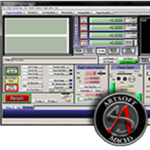
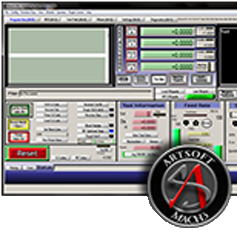
Download ArtSoft Mach3 R3.043.066 – Advanced CNC Controller Software for Windows PC
ArtSoft Mach3 R3.043.066 is a robust PC-based CNC controller software designed to transform a standard Windows computer into a sophisticated multi-axis CNC machine controller. It is specifically developed for users requiring precise control over various CNC machines, making it an integral tool for DIY projects, small-scale manufacturing operations, and prototyping labs. This software is key for executing complex machining tasks directly from a personal computer, bridging the gap between design and physical production.
Transforming Your PC into a CNC Controller
Mach3 software serves as the central command hub for CNC machines, utilizing the processing power of a Windows PC to manage intricate movements and operations. It translates standard G-code instructions into precise commands for stepper or servo motors, enabling everything from simple routing tasks to complex multi-axis machining. Its architecture is built around flexibility, allowing users to configure it for a wide array of machine types and sizes, such as mills, lathes, routers, and plasma cutters. This capability democratizes access to advanced CNC control, making it viable for hobbyists and small businesses alike.
Comprehensive G-Code Interpretation and Automation Capabilities
At its core, Mach3 excels in interpreting the RS-274 standard G-code, which is fundamental for instructing CNC machinery. Beyond basic code execution, the software offers advanced automation features. Users can leverage macro scripting, written in Visual Basic (VB), to create custom routines and automate complex sequences. This includes functions for tool changes, probing cycles, and dynamic adjustments during a cut. Additionally, Mach3 includes wizards that facilitate conversational programming, allowing users to define machining operations through a series of on-screen prompts rather than writing complex G-code manually, thereby streamlining the workflow for less experienced programmers.
Precision Control of Multi-Axis CNC Machines and Hardware Integration
Mach3 supports control for up to six axes, offering significant versatility for diverse machining requirements. It integrates with various hardware configurations, historically relying on the parallel port interface and increasingly supporting modern USB and Ethernet motion controllers. This ensures compatibility with a broad spectrum of CNC hardware. The software also provides comprehensive Input/Output (I/O) management, enabling precise control over machine components such as spindles, coolant systems, vacuum tables, probes for setup verification, and limit switches for positional accuracy and safety. This granular control is essential for executing precise manufacturing tasks.
Toolpath Visualization and User Interface Customization
To ensure accuracy and prevent errors, Mach3 includes robust toolpath visualization capabilities. Before or during operation, users can view a 3D representation of the programmed toolpath, allowing for verification of the machining strategy and identification of any potential collisions or inaccuracies. The software also features customizable screensets, enabling users to tailor the layout of controls and indicators to their specific workflow and machine setup. Manual Data Input (MDI) functions provide direct on-screen controls for jogging axes, setting offsets, and executing commands manually, offering fine-tuned control during operation.
Enhancements in Mach3 Version R3.043.066
The R3.043.066 iteration of Mach3 focuses on enhancing stability and compatibility with modern hardware. Key improvements include refined support for popular USB motion controllers, addressing the diminishing availability and reliability of parallel ports on newer computers. This version ensures smoother operation and better integration with USB-based CNC control boards. Stability fixes and driver optimizations have also been implemented to provide a more reliable user experience on current Windows operating systems, crucial for uninterrupted machining operations in both hobbyist and professional settings.
Applications Across Industries and User Profiles
Mach3 CNC controller software is predominantly utilized by hobbyists and makers in DIY CNC projects, enabling them to build and operate custom machines. Small-scale manufacturing workshops and prototype development firms rely on Mach3 for its cost-effectiveness and flexibility in producing parts and prototypes. Maker spaces also benefit from its accessibility, providing members with a powerful tool for creative fabrication. Its ability to handle intricate G-code and support multi-axis configurations makes it suitable for diverse applications, from wood carving and metal machining to custom fabrication projects.
Frequently Asked Questions
What types of CNC machines can Mach3 control?
Mach3 supports control of 3-axis up to 6-axis CNC machines, including mills, lathes, routers, and plasma cutters. It is versatile enough to handle hobbyist setups as well as small professional workshops.
How does Mach3 handle G-code and scripting for CNC operations?
Mach3 interprets standard RS-274 G-code and supports custom macros using M-functions and VB scripting, allowing advanced automation and customization of CNC workflows.
Is Mach3 compatible with modern Windows systems and USB motion controllers?
The latest Mach3 R3.043.066 version improves stability with popular USB motion controllers and ensures compatibility with Windows 10, addressing the decline of parallel port support.


Reviews
There are no reviews yet.