

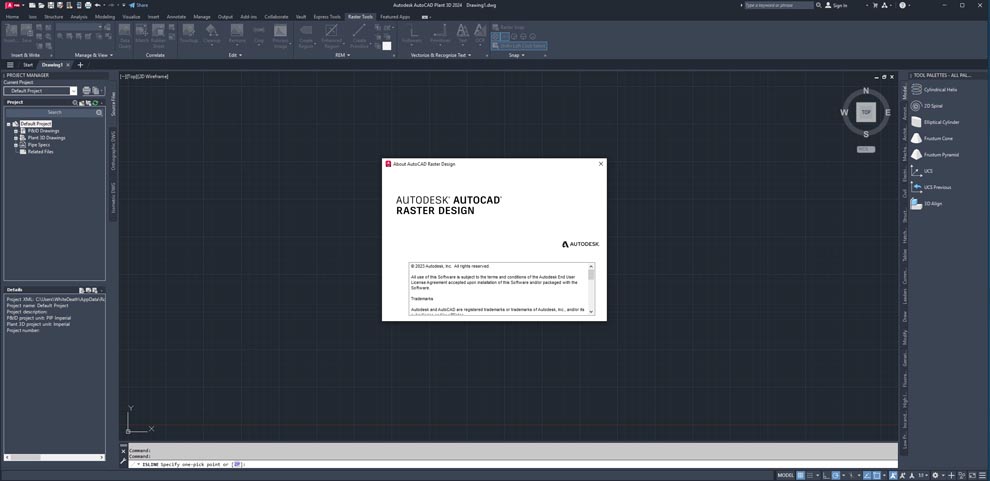
Autodesk AutoCAD Raster Design 2027: Raster-to-Vector Conversion & Image Editing for CAD
Autodesk AutoCAD Raster Design 2027 is a reliable and powerful raster-to-vector conversion tool that enables users to work with scanned drawings, aerial photos, satellite imagery, and digital photos directly inside AutoCAD-based environments (AutoCAD, AutoCAD Civil 3D, AutoCAD Map 3D, AutoCAD Mechanical, AutoCAD Electrical, AutoCAD MEP, and AutoCAD Architecture). Version 2027 continues Autodesk’s legacy of making raster data usable in CAD workflows – allowing users to edit, clean up, and convert raster images to vector drawings without losing quality. Unlike raster images that lose clarity when zoomed or printed, vectorized drawings maintain crisp lines and infinite scalability. Whether you have hours of work invested in a scanned floor plan, a legacy topographic map, or an aerial photograph, AutoCAD Raster Design enables you to open, edit, and convert those images in just a few clicks.
⚡ Key Features & Capabilities
???? Raster-to-Vector Conversion
Automatic Conversion Tools:
-
Lines, arcs, circles, polylines, text, and symbols
-
Vectorization of scanned paper drawings (blueprints, maps, schematics)
-
Batch conversion for multiple files
Manual Digitizing:
-
Raster snap (snap to raster pixels for manual tracing)
-
Raster entity manipulation (rubber-sheet, rotate, scale)
✏️ Raster Editing & Cleanup
Image Editing Tools:
-
Despeckle (remove noise, dust, speckles)
-
Bias (adjust brightness/contrast), blend, mirror, invert
-
Crop, erase, fill, paint, copy, move
Rubber Sheet Transformation:
-
Geometric correction of scanned drawings (non‑uniform scale, skew, rotation)
-
Tie points (control points) for image registration
????️ Georeferencing & Coordinate Systems
-
Assign real-world coordinates (latitude/longitude, UTM, State Plane) to raster images
-
Support for world files (.tfw, .jgw, .gfw, .bpw, .sdw, .pgw)
-
Align raster images to CAD coordinate system
???? Raster Snap & Tracing
-
Snap to raster features (line intersections, endpoints, centers)
-
Semi‑automated line following (vectorize existing lines)
-
Reduce manual digitizing time
???? Integration with Autodesk Products
Direct Integration with:
-
AutoCAD (2027)
-
AutoCAD Civil 3D (2027)
-
AutoCAD Map 3D (2027)
-
AutoCAD Mechanical (2027)
-
AutoCAD Electrical (2027)
-
AutoCAD MEP (2027)
-
AutoCAD Architecture (2027)
-
AutoCAD P&ID
???? What’s New in Version 2027
-
Faster Raster-to-Vector – Improved vectorization algorithms for complex linework
-
Enhanced Georeferencing – Direct import of GeoTIFF, support for OGC WMS (Web Map Service)
-
Batch Despeckle – Clean multiple scanned images in one operation
-
4K Monitor Support – High‑DPI scaling for detailed raster cleanup
-
Cloud Integration – Access raster files stored on Autodesk Docs / BIM 360
???? System Requirements
Minimum Requirements
-
OS: Windows 10/11 (64-bit only, version 1809 or higher)
-
CPU: 1 GHz or faster (32-bit or 64-bit processor)
-
RAM: 2 GB (32-bit) – 4 GB (64-bit)
-
Storage: 1 GB installation
-
Display: 1360 × 768 with True Color
Recommended Requirements
-
OS: Windows 11 Pro (64-bit)
-
CPU: 2.5+ GHz multi-core processor
-
RAM: 8 GB or more
-
Storage: 10 GB SSD
-
Display: 1600 × 1050 or higher
-
Desktop Scaling: 125% (120 DPI) or less recommended
Host Applications (Required)
-
Autodesk AutoCAD 2027
-
OR any Autodesk vertical product (Civil 3D, Map 3D, Mechanical, Electrical, MEP, Architecture, P&ID)
???? Industry Applications
????️ Architecture & Facility Management
Digitize paper floor plans, scanned as‑built drawings, and hand‑sketched layouts for renovation, space planning, asset management.
????️ Civil Engineering & Surveying
Convert scanned topographic maps, aerial photos, satellite imagery into vector contours, road alignments, parcel boundaries.
???? Mechanical & Electrical Engineering
Transform scanned P&IDs, wiring diagrams, HVAC schematics, equipment layout drawings into editable CAD files.
????️ GIS & Mapping
Georeference historic maps, aerial imagery, satellite data, and align raster to real‑world coordinates.
???? Construction & Renovation
Use scanned legacy drawings as underlays, trace, clean, and convert to vector for modification, permits, as‑built updates.






Reviews
There are no reviews yet.