
Download AutoDWG PDF to DWG Converter Pro 2024.4 – Efficient PDF Conversion for CAD Professionals
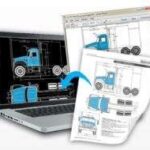
AutoDWG PDF to DWG Converter Pro 2024.4, developed by AutoDWG, is a specialized CAD software designed for engineering, architecture, and design professionals. This application focuses on converting PDF files into editable CAD formats, streamlining workflows that involve transitioning from portable document formats to design-centric environments. AutoDWG, as a company, is dedicated to enhancing CAD efficiency through various solutions, with this converter playing a crucial role in bridging format gaps.
Introduction to AutoDWG PDF to DWG Converter
Overview of AutoDWG and Its Purpose
AutoDWG is a company with a dedicated focus on developing software solutions that improve the efficiency of Computer-Aided Design (CAD) workflows. The AutoDWG PDF to DWG Converter is a prime example of their commitment, addressing a common challenge faced by designers and engineers: the need to transform static PDF documents into dynamic, editable CAD files. This software aims to simplify the process of repurposing PDF-based drawings and plans for further engineering and design work.
Core Features and Capabilities
Intelligent Object Detection for Accurate Conversion
The core of the AutoDWG PDF to DWG Converter’s effectiveness lies in its intelligent object detection algorithms. This technology enables the software to accurately identify and process various elements within a PDF, such as lines, curves, text, and shapes. By intelligently recognizing these components, the converter ensures that the fidelity of the original design is maintained as closely as possible during the conversion to DWG or DXF formats, preserving intricate details essential for professional use.
Batch Conversion and Multi-page Handling
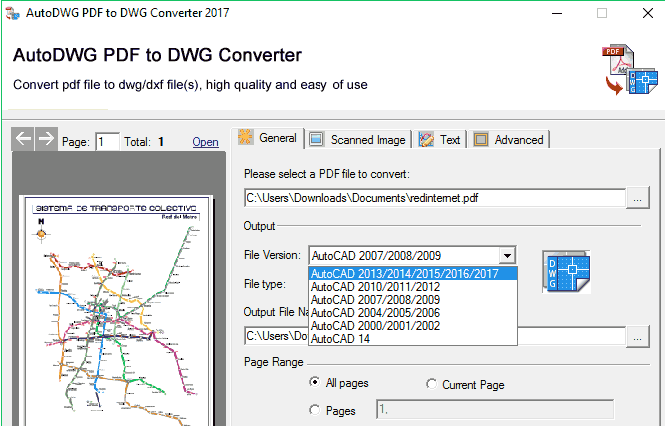
To enhance productivity for large-scale projects, the AutoDWG PDF to DWG Converter supports batch conversion capabilities. This feature allows users to convert multiple PDF files simultaneously, significantly reducing the time and effort required compared to manual, file-by-file processing. Additionally, users can select specific pages or ranges from multi-page PDF documents, offering precise control over the conversion output and making it suitable for complex project requirements.
Compatibility with Various CAD Formats
Supporting key CAD formats is crucial for interoperability in the engineering and design fields. AutoDWG PDF to DWG Converter primarily outputs to DWG and DXF formats, which are industry standards widely used across different CAD software platforms. The software also has the capability to convert raster images within PDFs into vector formats, further increasing the reusability of design data and ensuring that converted files can be seamlessly integrated into existing CAD workflows.
Practical Applications in Engineering and Design
Use Cases in Architectural Design
In architectural design, converting PDF floor plans, elevation views, or site layouts into editable DWG files is a common requirement. Architects and designers can use this software to quickly transform handover documents or existing sketches into professional CAD drawings. This facilitates easier modification, incorporation into new project designs, or detailed analysis without redrawing from scratch.
Applications in Mechanical Engineering
Mechanical engineers often deal with component drawings, manufacturing instructions, or technical documentation that may be in PDF format. The AutoDWG PDF to DWG Converter allows engineers to convert these documents into editable DWG or DXF files, which can then be used for revision, analysis in simulation software, or direct input into CAM systems. The precision offered by the intelligent object detection is particularly valuable for intricate mechanical parts.
Comparative Advantages Over Other PDF to DWG Tools
Compared to other PDF to DWG conversion tools, AutoDWG PDF to DWG Converter Pro distinguishes itself through its advanced intelligent object detection, which aims for higher accuracy in converting complex graphics and text. Furthermore, its robust batch conversion capabilities are designed to handle extensive project demands efficiently. The developer’s specialization in CAD solutions suggests a focused approach to meeting the specific needs of CAD professionals, differentiating it from more generalized converters.
Conclusion and Recommendations
AutoDWG PDF to DWG Converter Pro 2024.4 provides a robust and efficient solution for converting PDF files into essential CAD formats like DWG and DXF. Its intelligent object recognition, support for batch processing, and compatibility with industry-standard CAD tools make it a valuable asset for professionals in engineering, architecture, and design. For users needing to integrate PDF-based design elements into their CAD workflows with precision and speed, this software offers a compelling feature set.
Frequently Asked Questions
What types of files can be converted using AutoDWG PDF to DWG Converter?
AutoDWG PDF to DWG Converter primarily converts PDF files to DWG and DXF formats, which are standard in CAD applications. It also supports the conversion of raster images embedded within PDFs into editable vector formats, enhancing its utility for various design and drafting tasks.
Is batch conversion available in AutoDWG PDF to DWG Converter?
Yes, the software allows for batch conversion, enabling users to convert multiple PDF files simultaneously. This feature is particularly useful for large projects or when dealing with extensive documentation sets, significantly boosting productivity and streamlining workflows.
How does the software ensure the accuracy of the converted files?
The software employs intelligent detection algorithms that analyze and recognize geometric shapes, lines, curves, and text within the PDF documents. This advanced processing ensures that the quality and accuracy of these elements are preserved during the conversion process, resulting in precise and reliable CAD files.






Reviews
There are no reviews yet.