

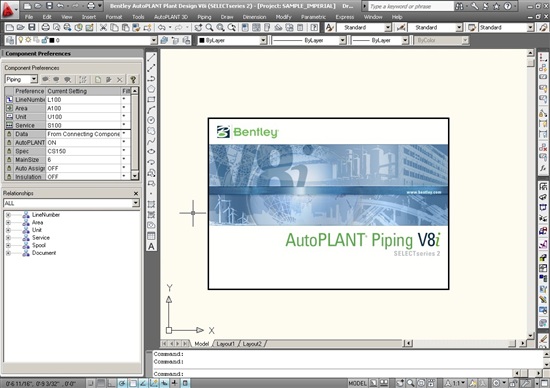
Download Bentley AutoPLANT Plant Design Software – Advanced Tools for Process Design
Bentley AutoPLANT Plant Design Software is a comprehensive solution developed by Bentley Systems, Incorporated, designed for the process planning and design of industrial facilities, particularly within the oil, gas, and energy sectors. This powerful application supports both 2D schematic design and dynamic 3D modeling, enabling engineers to create detailed plant layouts and instrumental diagrams efficiently. Its integration capabilities and user-friendly interface make it suitable for a wide spectrum of projects and engineering professionals.
Overview of Bentley AutoPLANT
History and Development
Bentley AutoPLANT represents a significant component of Bentley Systems’ broader suite of infrastructure software solutions. Developed by Bentley Systems, a company dedicated to advancing planning, construction, and operations across various engineering disciplines, AutoPLANT has evolved to become a pivotal toolset for process engineering. Its development reflects a commitment to providing integrated solutions that enhance project management and communication throughout the lifecycle of industrial facilities.
Key Features and Applications in Plant Design
3D and 2D Design Capabilities
Bentley AutoPLANT offers a versatile approach to plant design by supporting both intelligent 2D schematic design and comprehensive 3D modeling. This dual capability allows users to develop detailed process and instrumentation diagrams (P&IDs) with the same ease as creating intricate 3D models of the entire plant. Key applications within the AutoPLANT suite, such as AutoPLANT Modeler and P&ID, facilitate the creation of accurate and collaborative design documentation for complex industrial projects.
Integration with Additional Bentley Tools
The strength of Bentley AutoPLANT is amplified through its seamless integration with a portfolio of complementary Bentley solutions. This integration ensures a cohesive project workflow, enhancing collaboration and data consistency across disciplines. By connecting with tools like ProjectWise for project management and ProStructures for structural design, Bentley AutoPLANT enables project teams to streamline design review processes, manage revisions efficiently, and maintain a single source of truth for all project-related data.
Case Studies and Real-world Applications
Bentley AutoPLANT has been instrumental in the successful execution of numerous industrial design projects across the oil, gas, and energy sectors. These applications highlight the software’s ability to improve project efficiency, reduce design errors, and lower overall project costs. Professionals leverage its capabilities for tasks ranging from initial plant layout and piping design to complex equipment specification and plant visualization, demonstrating its effectiveness in real-world engineering challenges.
Why Choose Bentley AutoPLANT for Your Engineering Projects?
Bentley AutoPLANT distinguishes itself from competing software through several unique selling propositions tailored to the demands of process engineering. Its integrated design review workflows and advanced collaboration tools facilitate better communication and decision-making among distributed teams. The software effectively addresses common industry challenges by providing a robust platform for both schematic and 3D design, adaptable to projects of varying scales and complexities, from small upgrades to large greenfield developments.
Frequently Asked Questions
What is Bentley AutoPLANT used for?
Bentley AutoPLANT is used for the design and engineering of industrial facilities, focusing on both 2D schematic design and 3D modeling. It is particularly beneficial for projects in the oil, gas, and energy sectors, enabling the creation of detailed piping, instrumentation, and equipment layouts.
How does Bentley AutoPLANT integrate with other software?
Bentley AutoPLANT integrates seamlessly with other Bentley software tools such as ProjectWise for project management and ProStructures for structural design, enabling a more efficient workflow across teams. This interoperability ensures consistency and facilitates collaborative design processes.
Can users without extensive technical skills use Bentley AutoPLANT?
Yes, Bentley AutoPLANT is designed with a user-friendly interface, making it accessible for professionals across various experience levels, from novices to seasoned engineers. Its intuitive design helps reduce the learning curve and allows for quicker adoption on projects.





Reviews
There are no reviews yet.