

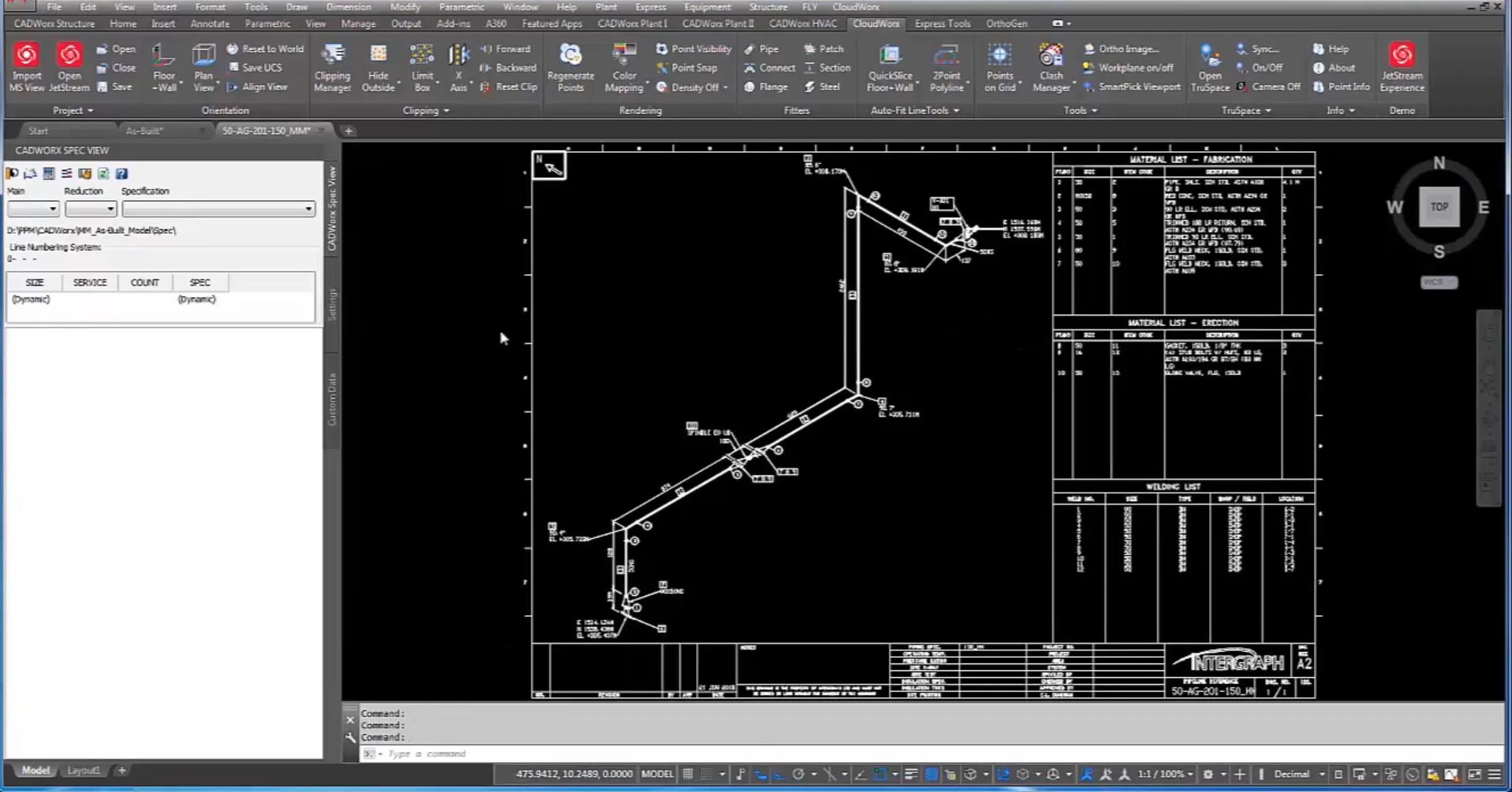
Leica CloudWorx 2026.1.1 for BricsCAD 24–26: Native Point Cloud to CAD Conversion
Leica CloudWorx 2026.1.1 for BricsCAD V24–V26 is the official Leica Geosystems plug‑in that bridges high‑density reality capture data (point clouds) with BricsCAD’s native CAD environment . Unlike generic point cloud importers, CloudWorx uses Leica’s JetStream technology and the universal LGS file format to stream massive datasets (billions of points) in real‑time, allowing smooth pan, zoom, and orbit without decimating or preprocessing the original scan data . Users keep full access to all native BricsCAD tools (commands, snaps, layers) alongside CloudWorx’s specialised point cloud features.
Key Technology – JetStream & LGS
JetStream is Leica’s centralised data streaming engine that serves point cloud data on‑demand, eliminating the need to load entire files into working memory. The LGS (Leica Geosystems) file combines JetStream’s speed with complete project metadata (scan positions, imagery, coordinate systems), making it ideal for archiving and team collaboration . CloudWorx for BricsCAD can read:
-
Leica Cyclone projects (native scanner data,
.imp,.zfs,.pod) -
JetStream projects (centralised multi‑user databases)
-
LGS universal files (packaged point cloud + metadata)
???? Primary Users
This professional point cloud plug‑in is designed for Surveyors, Civil Engineers, As‑Built Modelers, and Infrastructure Professionals who use BricsCAD (V23–V26) for drafting and design. It serves users who need to convert billions of laser scan points into precise 2D linework, 3D surfaces, or as‑built BIM data directly inside BricsCAD without requiring third‑party conversion software.
⚡ Key Features & Capabilities
???? Seamless Integration with BricsCAD
CloudWorx installs as a native add‑on inside BricsCAD’s ribbon, preserving the familiar user interface. All BricsCAD commands (LINE, ARC, TRIM, 3DORBIT) remain fully functional and can snap directly to points within the point cloud using CloudWorx’s AutoSnap engine . No separate viewer or data conversion step is required.
✂️ Dynamic Slicing & Clipping
Instead of viewing the entire noisy point cloud, users can create interactive limit boxes, clipping planes, or thick slices to isolate only the geometry they need—for example, a single floor plan slice at a specific elevation, or a thin section through a pipe rack. This dramatically improves performance and reduces visual clutter .
???? Smart Automation Tools
CloudWorx includes semi‑automated workflows for common tasks:
| Feature | Description |
|---|---|
| Automatic Linework (AutoLine) | Detects straight edges, building corners, and structural elements within the slice and generates precise polylines . |
| Pipe & Steel Catalogues | Recognises standard pipe diameters and steel profiles; fits 3D cylinders or I‑beams to the scanned points . |
| Floor Flatness Reporting | Generates ASTM E1155 compliant floor flatness (FF) and floor levelness (FL) reports directly from scan data . |
| Clash & Anti‑Clash Detection | Compares the point cloud against an existing design model (or vice versa) to identify interferences . |
???? As‑Built & Plant Modelling
CloudWorx is widely used for retrofitting industrial plants and documenting existing infrastructure. The pipe run auto‑extraction tool allows users to click inside a scanned pipe, and CloudWorx automatically generates a centreline plus a 3D solid cylinder of the correct diameter, dramatically speeding up as‑built BIM creation .
???? Coordinate Systems & Georeferencing
Full support for global coordinate systems (UTM, OSGB, State Plane) ensures that point clouds align perfectly with existing survey control and design models. Users can assign coordinate systems at project load or via the CloudWorx control panel.
???? Team Collaboration (JetStream & Cyclone ENTERPRISE)
When paired with Leica JetStream (or Cyclone ENTERPRISE), multiple CloudWorx users can work on the same central dataset simultaneously. Saved clips, limit boxes, and annotations are synchronised across all team members, preventing version conflicts and redundant file copies .
???? What’s New in Version 2026.1.1
-
BricsCAD V26 Compatibility – Officially certified for BricsCAD Pro and BIM editions V24, V25, and V26 (64‑bit) .
-
Performance Enhancements – Improved JetStream streaming engine for faster slicing and viewport regeneration on very large point clouds (>10 billion points) .
-
LGS File Optimisations – Faster initial load of LGS archives and better compression for project archiving .
-
UI/UX Refinements – Updated ribbon icons and tooltips to match BricsCAD V26’s modern interface.
✅ Compatibility Note: CloudWorx does not work with BricsCAD V24.2.04 or later unless you use this 2026.0.1 version (or newer). Older CloudWorx builds will crash with later BricsCAD releases .
???? System Requirements
Software Requirements
-
Host Application: BricsCAD Pro, BIM, or Ultimate (64‑bit) – V24, V25, or V26.
-
Operating System: Windows 10 or 11 Pro (64‑bit).


Reviews
There are no reviews yet.