

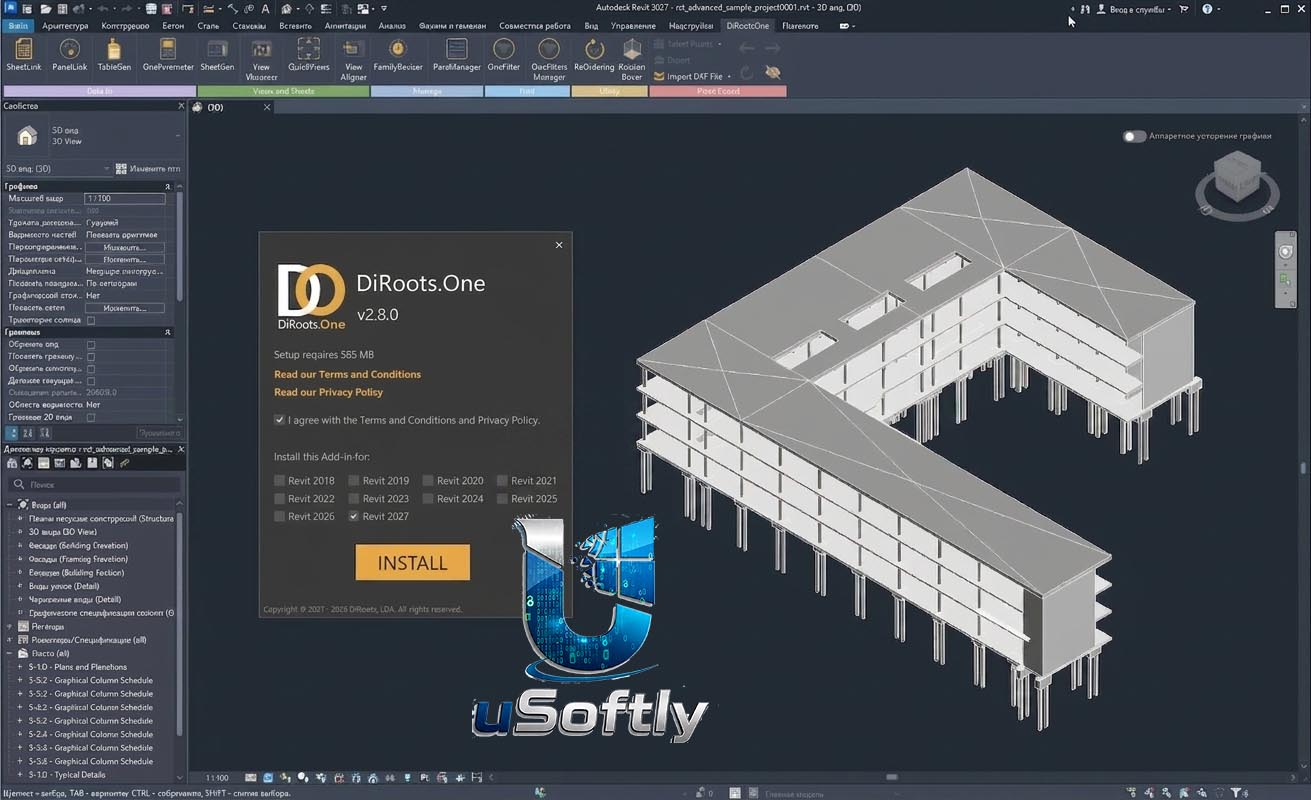
DiRoots One v2.8.0 for Autodesk Revit 2027: All-in-One BIM Productivity Toolkit
DiRoots One v2.8.0 is the most downloaded Revit plugin package in history, with over 400,000 users worldwide . Developed by DiRoots (a Portugal-based software company founded in 2017), this lightweight yet powerful toolkit centralizes 10+ productivity tools into a single, modular interface designed to solve the most common and time-consuming Revit frustrations .
Unlike traditional Revit add-ins that require separate installations for each function, DiRoots One provides a unified environment where users can activate only the tools they need, reducing system overhead while maximizing efficiency . The suite covers every aspect of Revit project management: from bulk data editing and family management to sheet creation, view alignment, Excel integration, and advanced filtering.
Version 2.8.0 specifically adds official support for Autodesk Revit 2027, making it fully compatible with the latest release while maintaining backward compatibility back to Revit 2020 . This release also includes critical bug fixes for TableGen (resolving worksheet name errors and freezing issues) and introduces new features like multi-worksheet selection and “Black and White” formatting removal
????️ Primary Users
This professional Revit productivity toolkit is designed for:
-
Architects, Structural Engineers & MEP Designers seeking to automate repetitive tasks and eliminate hours of manual work
-
BIM Managers & CAD Administrators responsible for enforcing project standards, cleaning up models, and managing family libraries across teams
-
Designers & Detailers who need to bulk edit parameters, rename elements, import Excel tables, and manage sheets efficiently
-
AEC Firms & Large Teams looking for a lightweight, modular, and easy-to-adopt solution that integrates seamlessly into existing BIM workflows
-
Project Coordinators & Document Controllers managing data synchronization between Revit and external platforms like Excel and Google Sheets
⚡ Key Features & Capabilities
???? What’s New in Version 2.8
| Feature Category | Update Description |
|---|---|
| Revit 2027 Support | Full official compatibility with Autodesk Revit 2027 |
| TableGen – Multi-Worksheet Selection | When adding new Excel files, you can now select multiple worksheets to import as views simultaneously |
| TableGen – Black & White Mode | Remove all color formatting and backgrounds from imported Excel tables |
| TableGen Bug Fix | Fixed error: “symbolTypeID is not a valid symbol for the unit in this FormatOptions” |
| TableGen Bug Fix | Fixed issue where Excel worksheet names with trailing spaces caused the tool to freeze |
???? Complete Toolset (10+ Modules)
???? Data Management & Excel Integration
| Tool | Function |
|---|---|
| SheetLink | Seamlessly export Revit model data to Excel, Google Sheets, or Morta, and import external data back into Revit. Supports bidirectional synchronization of model categories, annotation categories, schedules, rooms, spaces, and panel data. Automatically updates project information |
| TableGen | Import Excel, PDF, and Word files directly into Revit as Drafting Views, Legend Views, or Schedule Views. Preserves charts and images from Excel. Supports automatic synchronization when source files change. New in v2.7.3: Multi-worksheet selection and Black & White mode |
| OneParameter | Bulk edit instance and type parameter values across multiple elements. Maintains data accuracy while significantly reducing manual update time |
| ParaManager | Create new shared parameters or modify existing ones with a streamlined workflow. Import/export data freely between Excel and shared parameter files. Transfer parameters to multiple target families at the model level without opening individual family files |
???? Sheets, Views & Documentation
| Tool | Function |
|---|---|
| SheetGen | Automate sheet creation, smart view placement, bulk naming, and renumbering. Place views according to predefined templates and create multiple sheets with a single click. Control revision history across single or all views simultaneously |
| ReOrdering | Eliminate hours of tedious renumbering. Easily renumber Revit instance parameters to automatically reorder, renumber, and rename sheets and views according to optional prefixes, suffixes, or multipliers |
| QuickViews | Quickly generate internal elevations, section views, and callouts from rooms or spaces to speed up documentation |
| ViewAligner | Streamline the process of positioning views across sheets using a reference view as a template. Eliminates manual nudging of viewports into place |
????️ Families & Elements Management
| Tool | Function |
|---|---|
| FamilyReviser | Batch rename, organize, and update Revit families. Add prefix/suffix to Family Name or Type Name. Find and replace Family Name or Type Name. Quickly import/export Revit families from local repositories. Modify worksets by category and by rules. Run Health Check to verify family errors |
| OneFilter | Stop playing hide-and-seek with elements. Create and apply advanced filters to isolate and manage Revit elements based on custom criteria, boosting precision and workflow efficiency |
| ParaManager (Family Level) | Link and create nested instance parameters directly within the family editor environment. Transfer parameters across multiple target families without opening each file individually |
???? Model Cleanup & Standards
| Tool | Function |
|---|---|
| Model Cleanup | Go beyond “Purge Unused.” More effectively clean Revit models by quickly identifying and removing unused content like Views, Filters, Templates, Links & Imports, and Images |
| Style Sync | Standardize Revit styles by merging, converting, or deleting duplicate or unused styles like Lines, Fills, Dimensions, and Materials. Eliminates inconsistent styles across projects |
| Project Standards | Transfer project content like Views, Sheets, View Templates, and Families from one project to multiple projects. Enforce company standards across teams more effectively |
| Parameter Extractor | Unlock hidden properties. Quickly extract hidden parameters and properties from model elements to populate existing or new instance parameters |
| Revision Clouds Remover | Eliminate hours of manual cloud selections. Maintain a cleaner, more current Revit model by removing Revision Clouds in bulk |
???? Specialized Tools
| Tool | Function |
|---|---|
| PointKit | Streamline point cloud workflows in Revit through easier DXF or ASCII file imports, geometry exports to mesh (DXF), and enhanced point visibility control. Reduces clutter from scan-based modeling |
| SectionBoxer | Instantly isolate selected elements into a new view with a section box, buffer, and optional new view. Helps better inspect or manipulate elements in isolation |
| CAD Manager | Easily show, hide, and colorize CAD layers and convert DWG lines into native content directly in Revit for more integrated models |
| Thumbnail Generator | Batch generate consistent preview images for Revit families, making your library easier to browse and manage |
| glTF Exporter | Quickly export Revit models for 3D viewing and integration with immersive experiences like AR/VR platforms |
???? Modular Architecture
DiRoots One is designed to be lightweight and modular. Users can install the full suite but activate only the tools they need for specific tasks, reducing system overhead and keeping the Revit interface clean .
???? System Requirements
Host Application
-
Compatible Versions: Autodesk Revit 2020, 2021, 2022, 2023, 2024, 2025, 2026, and 2027
-
Architecture: 64-bit only
Operating System
-
Windows: Windows 7, 8, 10, or 11 (64-bit)




Reviews
There are no reviews yet.