
Download Easy-PC PCB 16.0.9 – Comprehensive PCB Design Software for Electronics Engineering
Easy-PC PCB 16.0.9 is a robust, Windows-native Electronic Design Automation (EDA) software that integrates schematic capture and printed circuit board (PCB) layout capabilities. Developed by the British division of Eurocircuits, this comprehensive tool is designed for electronics design engineers, PCB layout specialists, and educational institutions. It provides a powerful yet accessible platform for creating everything from simple schematics to complex multi-layer PCBs, serving as a reliable solution for small to medium electronics businesses.
Overview of Easy-PC PCB and Its Role in Electronics Design
Originating from software originally developed by Computer Aided Design Systems Ltd, Easy-PC PCB has evolved into a feature-rich solution for modern electronics design workflows. Its core functionality lies in its ability to seamlessly transition from schematic diagram creation to physical PCB layout. This integration makes it an efficient tool for professionals and hobbyists alike, streamlining the design process and ensuring that initial electronic concepts can be accurately translated into manufacturable boards. The software is widely adopted across the electronics industry and in academic settings for its balance of advanced features and user-friendliness.
Advanced Schematic Capture and Component Library Management
Easy-PC PCB features a sophisticated multi-sheet hierarchical schematic editor that allows for the organized design of complex circuits. This editor includes integrated Electrical Rule Checking (ERC) to help identify and rectify potential electrical errors early in the design phase. The software also simplifies component management through an integrated library editor, providing access to extensive component libraries. Users can generate accurate Bills of Materials (BOM) directly from their schematics, ensuring that all necessary components for manufacturing are accounted for.
Multi-Layer PCB Layout and Intelligent Routing Technologies
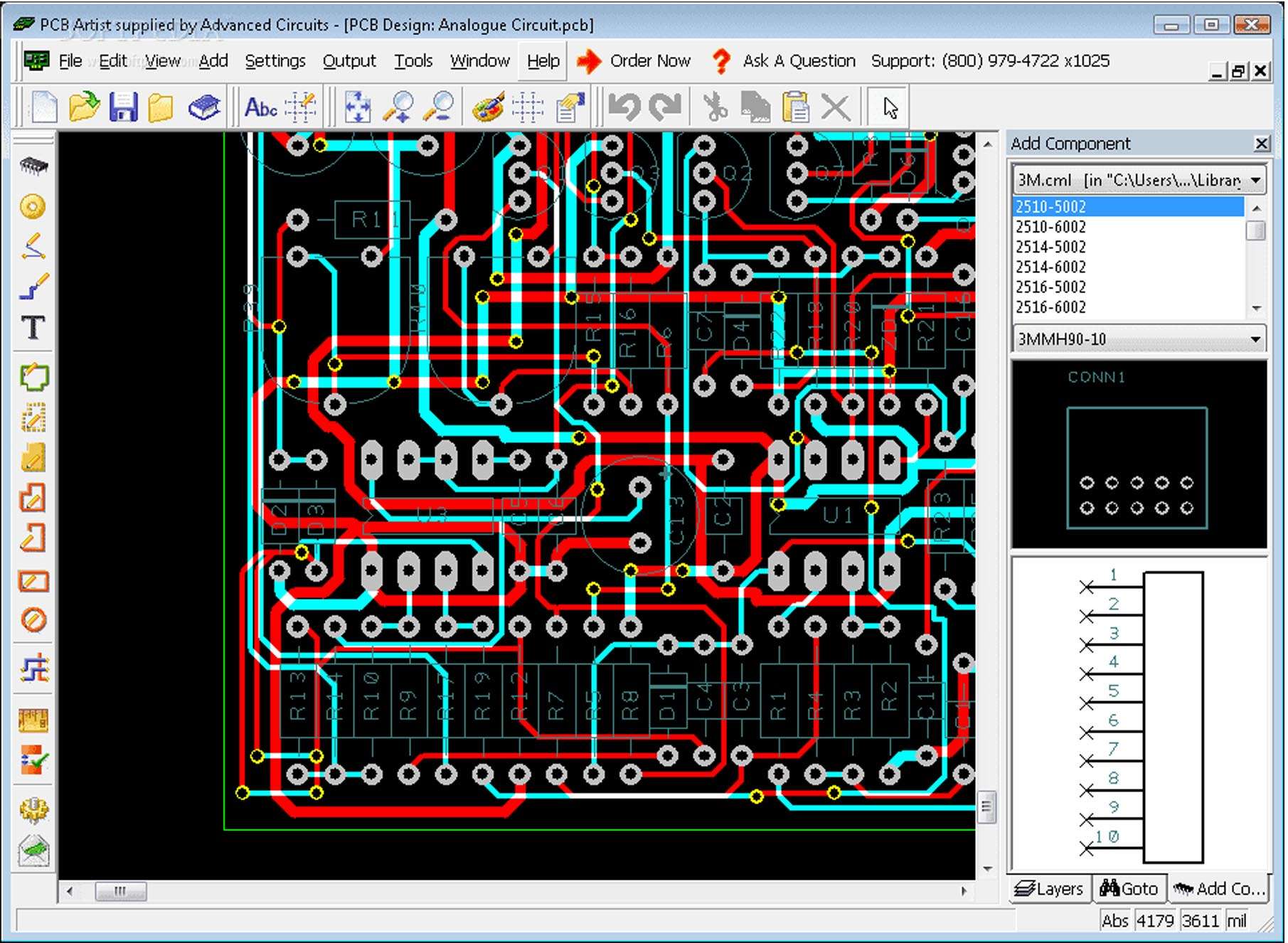
Supporting designs with up to 32 layers, Easy-PC PCB is well-equipped for high-density, multi-layer PCB applications commonly found in professional electronics. The layout environment offers versatile routing options, including manual routing, interactive intelligent routing, and shape-based autorouting. Advanced features such as push-and-shove routing help manage trace placement and avoidance of existing components or traces. Furthermore, specialized routing capabilities like differential pair routing and length tuning are included to meet the exacting requirements of high-speed and signal-sensitive circuit designs.
3D Visualization and Mechanical CAD Export Capabilities
A key benefit of Easy-PC PCB is its integrated 3D viewer. This feature allows designers to visualize their PCB layout in three dimensions, which is crucial for verifying mechanical fit and identifying potential interferences with enclosures or other components in a larger assembly. This 3D visualization aids significantly in the design verification process, reducing the likelihood of costly physical prototyping errors. The software also supports the export of mechanical assembly models in industry-standard STEP format, ensuring compatibility and smooth integration with mechanical CAD workflows.
Design Validation and Industry-Standard Manufacturing Output Generation
Ensuring manufacturability is paramount in PCB design, and Easy-PC PCB provides comprehensive tools for design validation. Real-time and batch Design Rule Checking (DRC) functionalities allow designers to conduct thorough checks for adherence to manufacturing constraints, including clearance and width specifications. The software is capable of generating all standard outputs required by electronics manufacturers, such as Gerber RS-274X files, Excellon drill files, pick-and-place data for automated assembly, and detailed assembly drawings for production.
What’s New in Easy-PC PCB 16.0.9: Enhancements and Improvements
The latest release, Easy-PC PCB 16.0.9, incorporates several enhancements designed to boost productivity and user experience. Key updates include improved design reuse capabilities, notably through enhanced copy room functionality for efficient duplication of circuit sections. Routing has been refined with upgrades to differential pair and serpentine length tuning. The user interface and overall performance have seen optimizations for a smoother workflow, while expanded import/export filters improve interoperability with other EDA systems like Eagle and KiCad. Additionally, the release focuses on enhanced stability and bug fixes.
Use Cases and Industry Applications of Easy-PC PCB
Easy-PC PCB finds application across a diverse range of scenarios in the electronics field. It is frequently used by electronics design engineers and PCB layout specialists for professional product development requiring multi-layer board designs. The software’s balance of advanced features and affordability also makes it an excellent choice for hobbyists and makers. Educational institutions leverage it to teach students the principles of schematic capture and PCB layout. Small to medium electronics companies benefit from its comprehensive capabilities for designing custom PCBs efficiently, and its strong import/export functions aid project migration and collaboration.
Frequently Asked Questions
What new features are included in Easy-PC PCB version 16.0.9?
Version 16.0.9 introduces enhanced design reuse with improved copy room functionality, advanced differential pair and serpentine length tuning for precise routing, user interface refinements for better workflow, expanded import/export support with other popular EDA tools, and various bug fixes to enhance stability.
Can Easy-PC PCB handle multi-layer board designs?
Yes, Easy-PC PCB supports complex multi-layer PCB designs with up to 32 layers, offering manual, interactive, and shape-based auto-routing features suitable for professional-grade electronics design.
Is Easy-PC PCB compatible with other PCB design software?
Easy-PC PCB provides expanded import and export filters in the latest version, facilitating interoperability with popular EDA tools like Eagle and KiCad, allowing designers to easily migrate or reuse designs across platforms.






Reviews
There are no reviews yet.