

Download QuickStructure 9.0 – Streamlined Structural Analysis and Design Software
QuickStructure 9.0 is a specialized structural analysis and design software developed for civil and structural engineers, architects, and design professionals. It facilitates the rapid analysis and design of common structural elements, supporting multiple international design codes such as ACI, AISC, and Eurocode. This application is particularly suited for preliminary sizing, feasibility studies, and educational purposes, emphasizing speed and ease of use in structural engineering workflows.
Overview of QuickStructure and Its Role in Structural Engineering
QuickStructure 9.0 offers a robust yet user-friendly solution for structural engineering tasks, focusing on the efficient analysis and design of individual structural members. While comprehensive finite element analysis (FEA) suits complex structures, QuickStructure excels in providing quick, code-compliant designs for beams, columns, footings, and other essential components. Its role is crucial in the early stages of building design, allowing engineers and architects to quickly assess structural feasibility and element requirements.
Design Capabilities for Common Structural Elements
Beam, Column, and Footing Analysis
QuickStructure 9.0 provides comprehensive tools for analyzing and designing a variety of standard structural components. The software applies calculations based on major international codes to ensure that designs are both effective and compliant. Supported elements include:
- Continuous beams
- Columns subjected to axial and bending forces
- Isolated and combined footings
- Retaining walls
- Simple frame structures
Load Generation and Combination According to International Codes
The software automates the generation of various loads relevant to structural design. Users can define and the software calculates dead, live, wind, and seismic loads according to recognized standards. QuickStructure 9.0 then applies standard load combinations, such as Allowable Strength Design (ASD) and Load and Resistance Factor Design (LRFD), to evaluate structural performance under various scenarios. Its seismic load calculation capabilities are based on standards like ASCE 7 and IBC, aiding engineers in designing for seismic resilience.
Compliance with International Building Codes and Standards
Ensuring structural integrity through adherence to building codes is a core function of QuickStructure 9.0. The software offers explicit checking features for key international standards:
- ACI 318 for concrete structures
- AISC 360 for structural steel design
- Masonry design codes
- Wood structural design codes
The software calculates utilization ratios for each element and clearly indicates whether the design passes or fails against code requirements. Version 9.0 ensures that it remains updated with the latest editions of these critical design codes, providing engineers with confidence in their structural compliance.
Modern Interface and Enhanced Workflow in Version 9.0
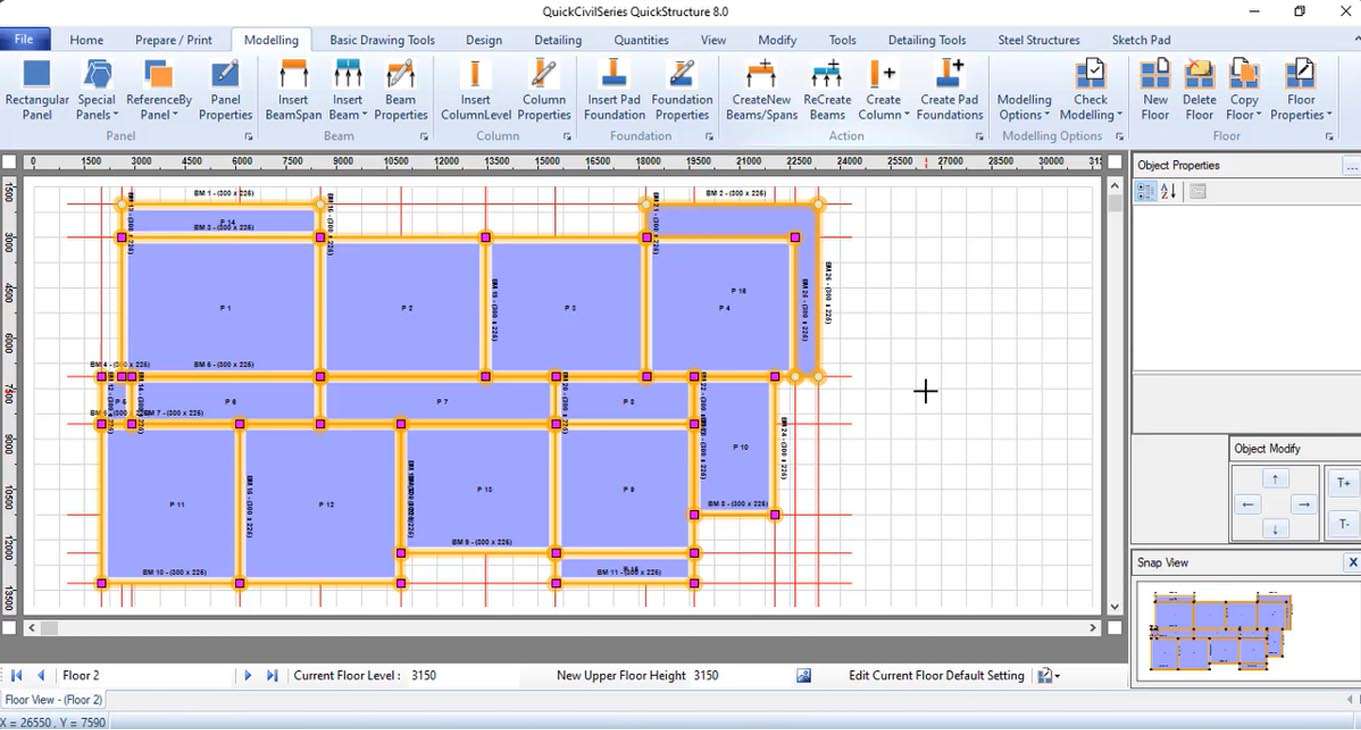
Version 9.0 of QuickStructure features a significantly modernized user interface designed to enhance user experience and productivity. Key upgrades include:
- A ribbon-based interface that organizes tools logically for intuitive access.
- Options for both dark and light visual themes to suit user preference and reduce eye strain.
- Dockable windows that allow users to customize their workspace layout
These improvements streamline the process of building structural models, making complex analyses more accessible and efficient.
Advanced Structural Modules and Interoperability with CAD
QuickStructure 9.0 expands its capabilities with new specialized modules designed for more complex structural components. These additions provide a deeper level of analysis for common but critical elements:
- Shear wall design
- Foundation mat design
- Connection design templates
Furthermore, the software boasts improved data import and export capabilities. This enhanced interoperability facilitates smoother data exchange with popular CAD (Computer-Aided Design) software, creating a more integrated workflow for engineers and designers.
Graphical Visualization and Automated Reporting
To aid in understanding structural behavior and communicating results, QuickStructure 9.0 provides comprehensive graphical outputs. Engineers can instantly visualize critical data such as bending moment diagrams, shear force diagrams, and deflection plots. These visualizations update in real-time as design parameters are adjusted, allowing for rapid iteration. The software also supports the generation of professional reports in RTF or PDF formats, suitable for project documentation, client reviews, and regulatory submissions.
Use Cases: QuickStructure in Real-World Engineering Projects
QuickStructure 9.0 is an invaluable tool for various stages of the engineering project lifecycle. Its emphasis on speed and ease of use makes it ideal for:
- Preliminary Sizing: Quickly determining appropriate member sizes for beams, columns, and foundations during initial design phases.
- Feasibility Studies: Rapidly evaluating the structural viability and general requirements of a proposed design concept.
- Educational Purposes: Providing students with a practical platform to learn structural analysis and design principles, reinforcing concepts taught in academic courses.
- Design Validation: Performing quick checks on standard components to ensure compliance with applicable building codes.
By focusing on these essential engineering tasks, QuickStructure streamlines common workflows, allowing engineers to dedicate more time to complex design challenges and innovation.
Frequently Asked Questions
How does QuickStructure 9.0 help with compliance to international structural design codes?
QuickStructure 9.0 integrates major international design codes including ACI 318, AISC 360, and Eurocode to automatically perform code compliance checks on structural elements. It verifies utilization ratios and indicates pass/fail results to ensure designs meet regulatory requirements.
What types of structural elements can I analyze with QuickStructure 9.0?
The software supports analysis and design of continuous beams, columns under axial and bending forces, isolated and combined footings, retaining walls, simple frames, and more, making it versatile for common structural engineering tasks.
Can QuickStructure 9.0 integrate with CAD software for my workflow?
Yes, QuickStructure 9.0 offers improved import and export capabilities for seamless data exchange with popular CAD software, enhancing coordination between structural analysis and design phases.






Reviews
There are no reviews yet.