

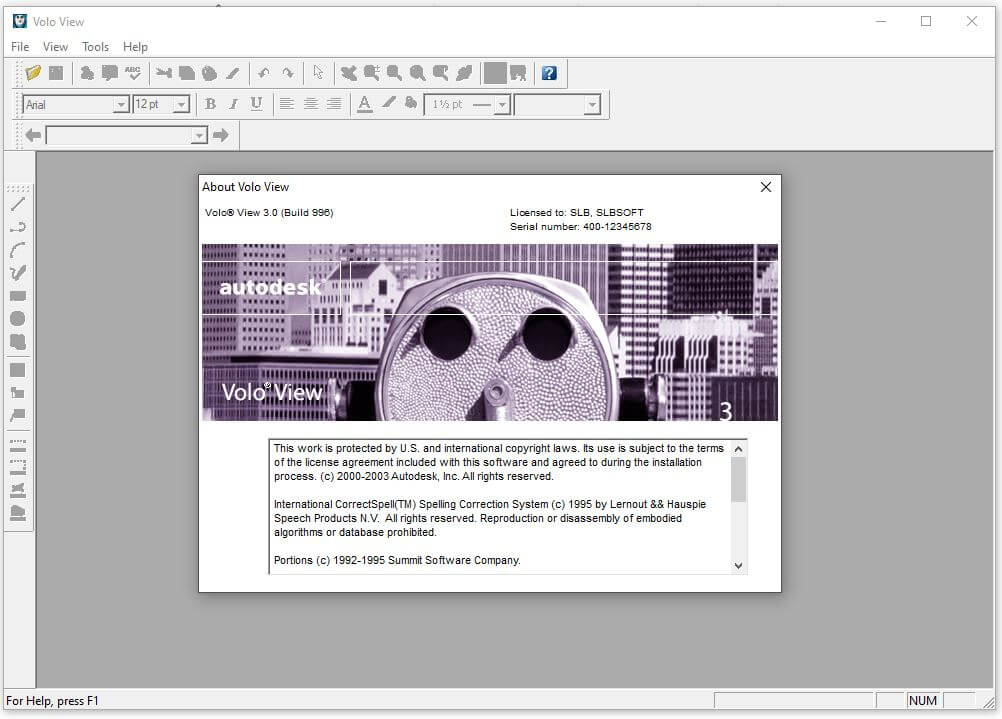
Download Volo View 3.0 – Streamlined CAD File Management
Volo View 3.0 is a specialized CAD viewer application developed by Autodesk, Inc. It is engineered for professionals in the manufacturing and mechanical engineering sectors who need to access and manage design files efficiently. This software serves as a crucial tool for viewing, printing, and distributing CAD data without requiring the installation of full design suites, facilitating smoother communication within technical workflows.
Introduction to Volo View 3.0
Overview and Purpose
Volo View 3.0 provides a dedicated solution for viewing and interacting with a wide range of CAD file formats. Its primary purpose is to offer a lightweight, accessible platform for engineers, manufacturers, and project stakeholders to inspect design files, ensuring that all parties involved have the necessary visibility into product designs. This capability is essential for streamlining communication and review processes in environments where direct access to design software may not be practical or necessary.
Key Features of Volo View 3.0
Multi-File Format Support
Volo View 3.0 is equipped to handle a comprehensive array of industry-standard CAD file formats, ensuring broad compatibility. Users can reliably open and view files created in various design applications, facilitating collaboration across different software environments.
- Support for DWG (Drawing) files, the native format for AutoCAD.
- Compatibility with DXF (Drawing Exchange Format) for data interchange.
- Ability to process DWF (Design Web Format) files, optimized for sharing design data.
- Extended viewing capabilities for numerous other CAD entities and associated data.
Integration with Autodesk Products
As a product of Autodesk, Inc., Volo View 3.0 is designed to integrate seamlessly within the broader Autodesk ecosystem. This integration enhances user experience and productivity for organizations already invested in Autodesk solutions, such as AutoCAD or Inventor. The viewer leverages Autodesk’s file handling expertise, ensuring accurate representation of design data.
Real-World Applications
Professionals in mechanical engineering and manufacturing utilize Volo View 3.0 in several practical scenarios to improve project efficiency and communication. Its role is particularly significant in environments requiring frequent design reviews and collaboration among distributed teams.
- Manufacturing floor personnel use Volo View to access engineering drawings and specifications for production, ensuring adherence to design intent without needing expensive CAD software licenses on the shop floor.
- Design teams employ Volo View for internal reviews, allowing multiple stakeholders, including non-CAD users, to provide feedback on design iterations.
- Quality assurance departments can use Volo View to inspect designs and verify compliance with project requirements before production begins.
- Project managers and clients can easily review designs, mark up drawings with annotations, and communicate changes effectively.
Comparison with Other CAD Viewing Tools
Volo View 3.0 distinguishes itself among CAD viewer software through its specific focus on efficiency and its native integration with the Autodesk suite. While other viewers might offer broad compatibility, Volo View’s strength lies in its optimized performance with Autodesk file types and its streamlined feature set.
- Compared to general-purpose PDF viewers, Volo View retains crucial CAD entity information, allowing for more accurate interpretation of design intent.
- Unlike some viewers that may require complex installations or licensing, Volo View offers a more straightforward user experience suited for quick access and review.
- Its tight integration with Autodesk products ensures a consistent experience for users within that ecosystem, often providing more accurate rendering of complex AutoCAD or Inventor files than third-party general viewers.
User Experience and Workflow Enhancement
By providing a focused and efficient platform for CAD file interaction, Volo View 3.0 significantly enhances user workflows and inter-team communication. The software’s ease of use and specific capabilities contribute to time savings and reduced errors in technical projects.
- Streamlined viewing capabilities allow users to quickly navigate complex assemblies and drawings.
- Annotation tools enable clear communication of feedback and design changes directly on the CAD files.
- Easy printing and publishing options facilitate the distribution of design documentation for review and record-keeping.
Conclusion and Next Steps
Volo View 3.0 stands as a valuable tool for professionals in mechanical engineering and manufacturing, offering an efficient and accessible way to manage and interact with CAD files. Its integration with Autodesk products and focus on core viewing functionalities make it an essential component of a robust design and production workflow. Downloading Volo View 3.0 can lead to improved collaboration, clearer communication, and streamlined design management processes within your organization.
Frequently Asked Questions
What file formats can Volo View 3.0 open?
Volo View 3.0 supports a variety of CAD formats including DWG, DXF, and DWF, making it versatile for different users in the industry. This broad compatibility ensures that most design files encountered in mechanical and manufacturing workflows can be easily accessed and reviewed.
How does Volo View improve CAD file management?
Volo View allows users to easily view, annotate, and share CAD files without needing the original software, streamlining workflows and improving communication among teams. Its focused functionality reduces reliance on full CAD applications for basic review tasks, speeding up the process and enhancing collaboration.
Is Volo View integrated with other Autodesk software?
Yes, Volo View 3.0 is designed to work seamlessly with other Autodesk applications, enhancing collaboration and overall productivity in design projects. This integration ensures efficient handling of design data and maintains consistency within Autodesk-based environments.






Reviews
There are no reviews yet.