

Download Weise Smart Check 2022 – Comprehensive Checklist Management for Construction
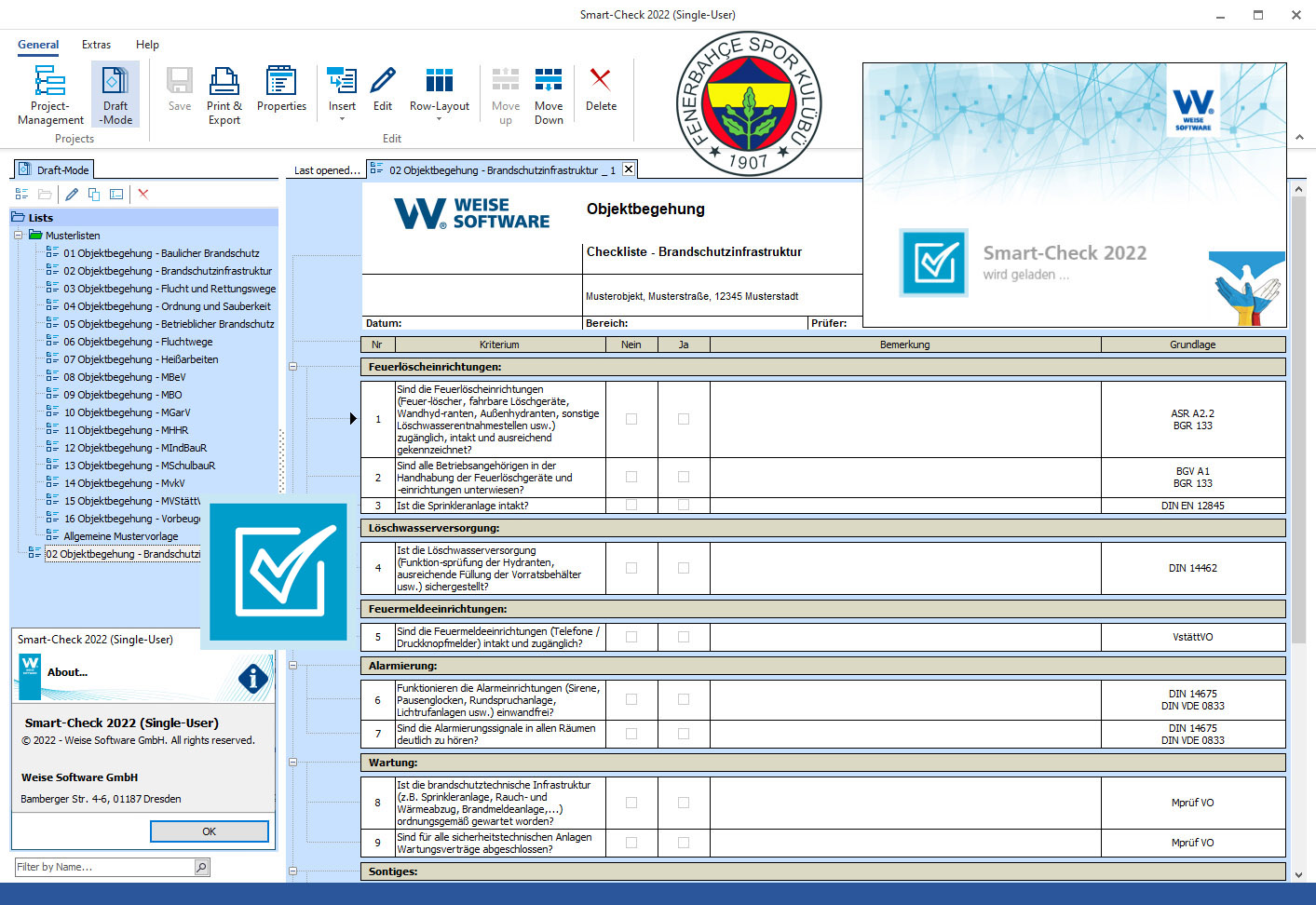
Weise Smart Check 2022 is a specialized construction software developed by Weise, designed to streamline inspection processes and ensure safety compliance. This application is particularly relevant for professionals in the construction, facility management, and safety compliance sectors who require robust tools for managing checklists and documentation.
Introduction to Weise Smart Check
Weise Smart Check 2022 provides essential functionality for creating and managing comprehensive checklists within the construction industry. It addresses the critical need for reliable documentation and adherence to safety standards by offering a dedicated platform for inspection tasks. The software aims to simplify complex inspection workflows, making compliance management more efficient for project managers and site supervisors.
Key Features of Weise Smart Check
Template Editor for Custom Checklist Creation
The software features a robust Template Editor that empowers users to design highly customizable checklists. This tool allows for the creation of professional-looking templates tailored to specific inspection requirements, ensuring all necessary items are covered systematically. The efficiency of this editor is a key differentiator, enabling rapid development of inspection forms for various needs.
- Creation of custom checklist templates for diverse construction and facility management needs.
- Tools for defining specific inspection points, criteria, and required documentation within each template.
- Ensures consistency and professionalism across all generated inspection reports.
Project Management Capabilities
Weise Smart Check 2022 offers integrated project management features to help users organize and track different inspection tasks effectively. This capability is crucial for managing multiple construction sites or ongoing facility maintenance schedules.
- Organization of checklists by individual projects, allowing for clear separation and tracking of inspection progress.
- Assignment of tasks and monitoring of completion status for each inspection item.
- Facilitates efficient oversight of all inspection activities related to ongoing projects.
Real-World Applications in Construction
The practical application of Weise Smart Check 2022 extends across various critical areas within construction and facility management. By leveraging its features, professionals can enhance site safety, compliance, and operational efficiency.
- Conducting detailed site inspections to identify potential hazards and ensure adherence to building codes and safety regulations.
- Performing fire protection inspections, verifying the operational status of safety equipment and systems, and documenting findings.
- Utilizing the checklist software for regular facility maintenance, tracking routine checks of equipment and infrastructure to prevent failures.
- Streamlining documentation for safety compliance audits, ensuring all required records are accurately captured and stored.
Integration and Synchronization with Mobile Devices
A key aspect of Weise Smart Check 2022 is its mobile synchronization capability, which greatly enhances on-site data collection and efficiency. This feature ensures that field teams can access and update checklists directly from their mobile devices.
- Enables the transfer of checklists from the PC application to smartphones and tablets for convenient field use.
- Allows for real-time completion of inspection forms, photos, and notes directly on-site.
- Synchronizes completed forms from mobile devices back to the main PC application, ensuring data is up-to-date and accessible.
Comparative Overview with Other Construction Software
While many construction management tools exist, Weise Smart Check 2022 distinguishes itself through its specialized focus on checklist creation and inspection management. Compared to broader construction management platforms, its strength lies in the detailed customization offered by its template editor and the seamless mobile synchronization for field inspections.
- Focuses specifically on detailed checklist creation and inspection workflows, unlike more general project management software.
- The template editor provides a higher degree of customization for inspection forms than many generic checklist applications.
- Direct mobile synchronization for on-site data capture offers a streamlined alternative to manual data entry or less integrated solutions.
Conclusion: Why Choose Weise Smart Check
Weise Smart Check 2022 offers a targeted solution for construction professionals and facility managers seeking a reliable and efficient tool for inspections and compliance documentation. Its customizable template editor and robust mobile synchronization capabilities directly address the practical challenges of maintaining safety standards and project documentation in demanding environments.
Frequently Asked Questions
What types of checklists can be created with Weise Smart Check?
Weise Smart Check allows users to create a variety of checklists, including site inspections, fire protection inspections, and to-do lists tailored for specific projects. Its template editor facilitates easy customization, enabling the creation of forms for virtually any inspection requirement within the construction or facility management sectors.
How does Weise Smart Check support mobile synchronization?
The software includes a synchronization feature that enables users to transfer checklists to smartphones or tablets. This allows for convenient completion of forms on-site, including adding notes or photos, with results later synced back to the PC application for centralized management and reporting.
Can Weise Smart Check help with compliance documentation?
Yes, Weise Smart Check is designed to facilitate compliance through structured inspections and checklist management. By ensuring that all necessary verification steps are included in customizable templates and properly documented, the software helps users maintain accurate and accessible records essential for compliance requirements.






Reviews
There are no reviews yet.