

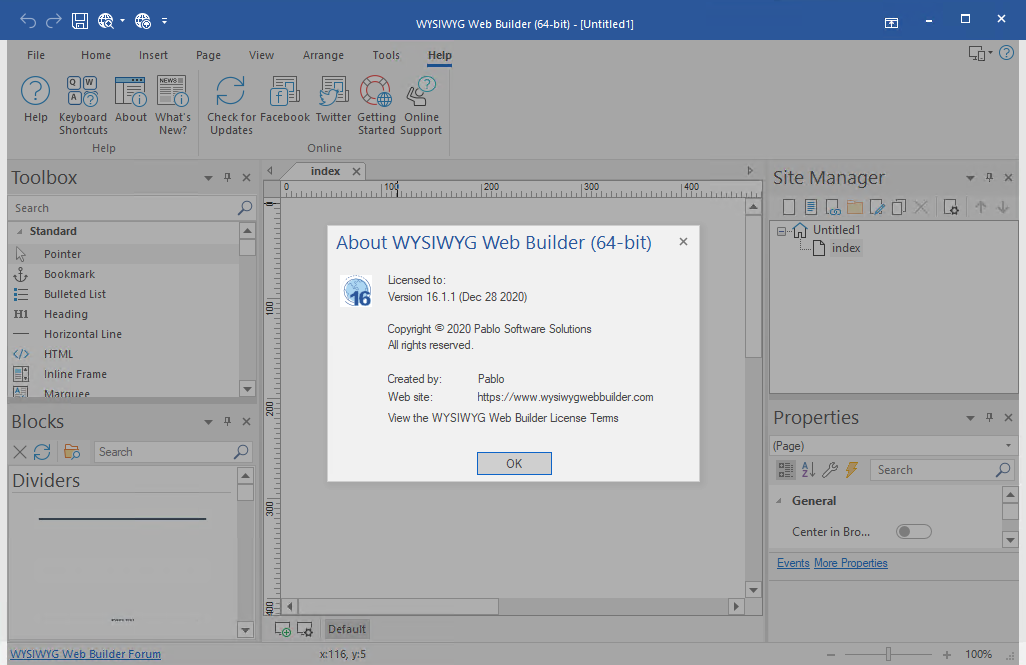
Download WYSIWYG Web Builder – The Ultimate No-Code Web Design Tool
WYSIWYG Web Builder is a no-code web development application developed by Pablo Software Solutions, designed for users looking to create visually appealing and functional websites without writing any code. It leverages the WYSIWYG (What You See Is What You Get) editing principle, allowing individuals to design web pages that directly mirror their final appearance in an intuitive, drag-and-drop environment. This makes it an accessible tool for web design and development, particularly for beginners, small businesses, and educational projects.
Key Features and Capabilities
WYSIWYG Web Builder offers a robust set of features aimed at simplifying the web design process while adhering to modern web standards.
- Achieve responsive website design advantages, ensuring sites adapt seamlessly across various devices and screen sizes.
- Support for HTML5 and PHP standards allows for the creation of up-to-date, dynamic, and interactive web pages.
- The intuitive drag-and-drop interface makes it easy for users of all skill levels to position elements and build page layouts.
- Seamless integration of multimedia content, including videos, images, and audio files, to enhance user engagement and visual appeal.
- Access to customizable templates and a wide array of design elements that can be modified to create unique and aesthetically pleasing web presences.
Designing with WYSIWYG: A Step-by-Step Overview
The design process with WYSIWYG Web Builder is centered around visual manipulation rather than coding. Users typically begin by selecting a suitable template or a blank canvas. They then utilize the drag-and-drop interface to add and arrange various elements such as text boxes, images, forms, and navigation menus onto the page. The software permits real-time editing, allowing designers to see exactly how their website will look as they build it. Advanced users can also integrate custom HTML or CSS for further customization. Once the design is finalized and responsive settings are confirmed, the project can be published live.
Real-World Applications and Use Cases
WYSIWYG Web Builder is versatile and finds application across various sectors, simplifying web presence creation for specific needs.
- Personal Websites: Individuals can easily create and manage personal blogs, portfolios, or online resumes without technical complications.
- Small Business Storefronts: Entrepreneurs can design professional-looking websites to showcase products or services, manage customer inquiries, and establish an online brand identity.
- Educational Projects: Students and educators can build project websites, course materials, or departmental pages that are visually engaging and easy to navigate.
- Event Promotion: Organizers can quickly assemble landing pages for events, announcements, or specific campaigns.
Comparison with Other No-Code Web Builders
When compared to other no-code platforms like Wix or Squarespace, WYSIWYG Web Builder often emphasizes a more direct control over the HTML output and a feature set geared towards users who appreciate a balance between ease of use and technical flexibility. While platforms like Wix offer a highly curated, all-in-one hosted solution, WYSIWYG Web Builder provides a downloadable application that puts more control into the hands of the user, particularly regarding file management and deployment options, while still supporting essential responsive design principles and multimedia integration.
Common Challenges and Solutions
While WYSIWYG Web Builder is designed for ease of use, users may encounter certain challenges that can be effectively managed.
- Challenge: Over-reliance on drag-and-drop can lead to cluttered or non-standard code.
Solution: Regularly review the generated HTML and CSS, utilizing the software’s options to clean up code or manually refine it where necessary. Focus on well-structured layouts rather than excessive element overlap.
- Challenge: Ensuring consistent look and feel across all devices without manual adjustments.
Solution: Thoroughly test responsive design settings for different screen sizes within the builder and preview on actual devices. Utilize the software’s built-in responsive breakpoints and flexible grids effectively.
- Challenge: Limited advanced functionalities for highly complex web applications.
Solution: For complex needs, WYSIWYG Web Builder can serve as an excellent tool for initial site structure and design. Integrate custom scripts or server-side logic where required, or consider more specialized tools for intricate functionalities.
Frequently Asked Questions
What is WYSIWYG Web Builder used for?
WYSIWYG Web Builder is used for creating responsive websites without needing to know how to code. It enables users to visually design webpages using a drag-and-drop interface that reflects the final output in real-time, making web development accessible to a broader audience.
Can you create multimedia content with WYSIWYG Web Builder?
Yes, WYSIWYG Web Builder allows users to integrate various multimedia elements, including videos, images, and audio files, directly into their website layouts, enhancing user engagement and the overall aesthetic of the site.
Is WYSIWYG Web Builder suitable for professional web development?
While WYSIWYG Web Builder is ideal for beginners and small business owners, it also includes advanced features that can be utilized for professional web development projects, especially for responsive designs and straightforward website creations that prioritize rapid deployment.







Reviews
There are no reviews yet.