

Download Zoo Tools Pro 2.7.6 for Maya – Advanced Productivity Plugin with AI Integration
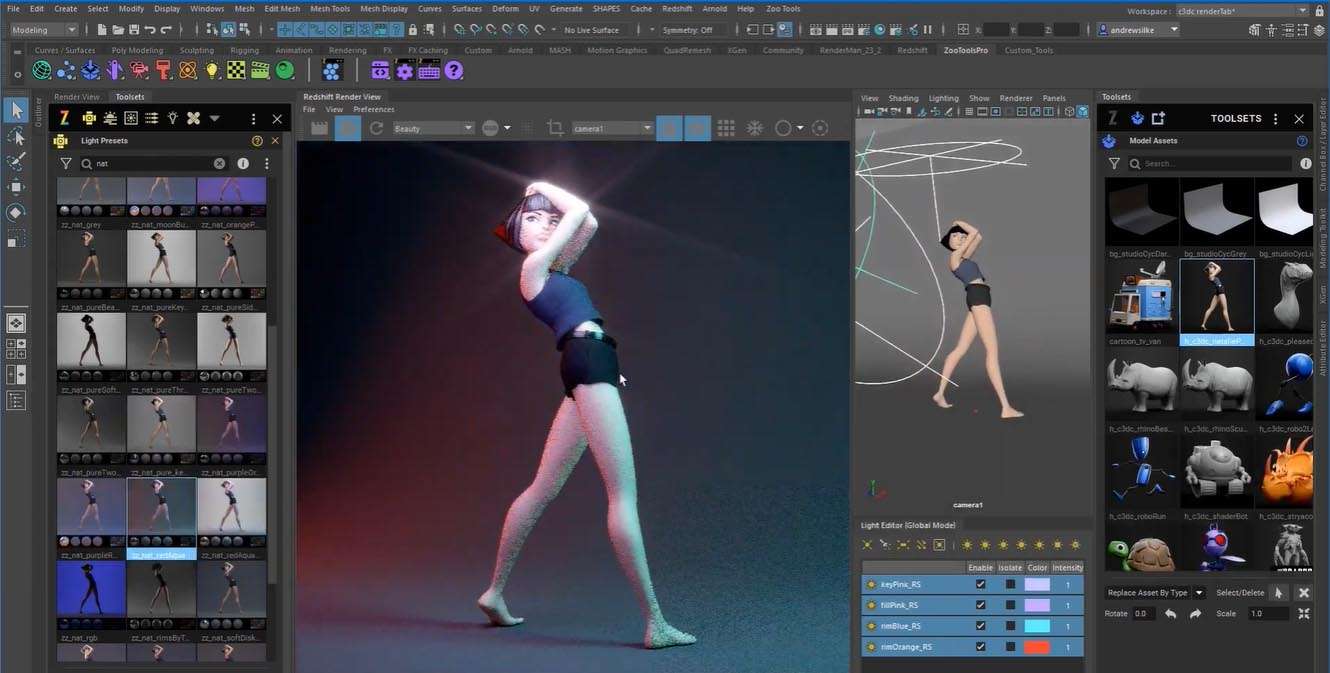
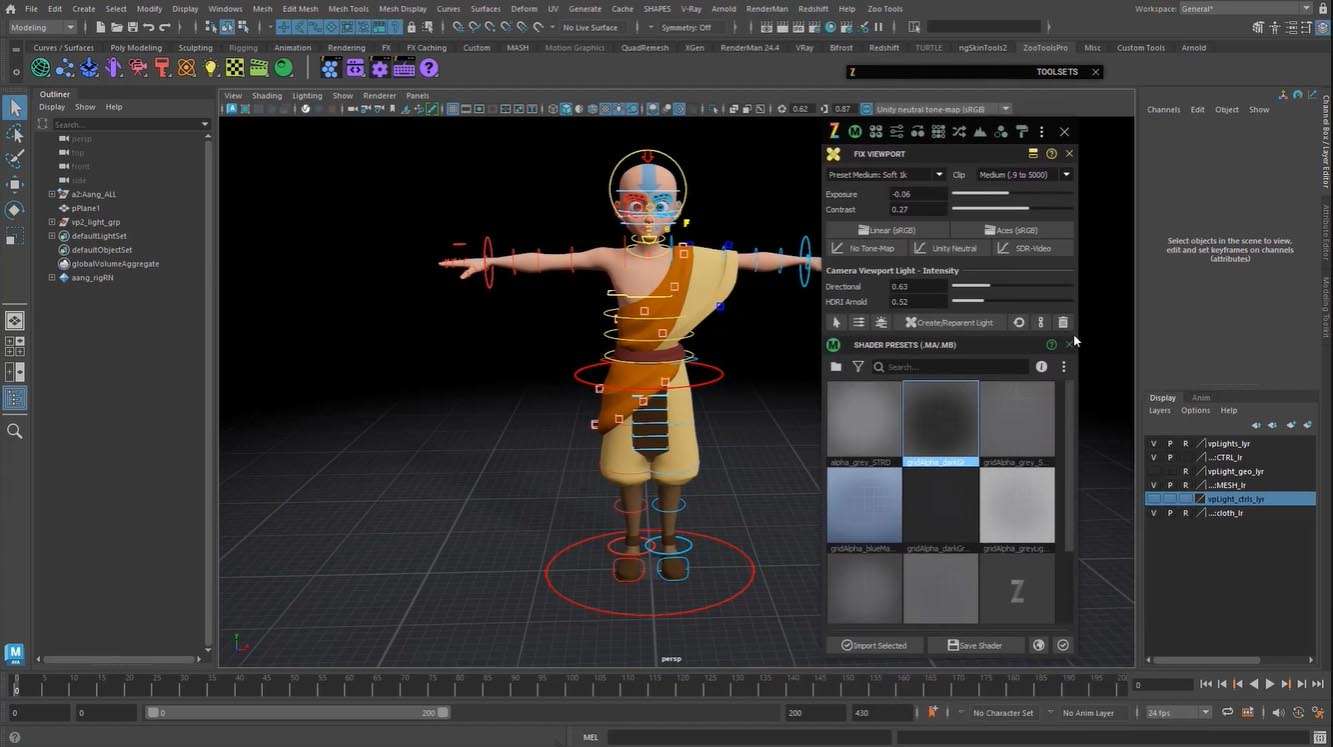
Zoo Tools Pro 2.7.6 is a specialized productivity enhancement plugin for Autodesk Maya, designed to streamline complex workflows for 3D artists and technical directors. This plugin significantly boosts efficiency in modeling, texturing, lighting, animation, and scripting tasks, targeting professionals in the film, television, and game development industries who rely on Maya for their creative projects.
Enhancing Autodesk Maya Workflows for 3D Artists and Technical Directors
Zoo Tools Pro functions as a comprehensive toolkit that simplifies intricate operations within Autodesk Maya. Its primary objective is to reduce the time spent on repetitive tasks and complex procedures, allowing users to focus more on creative output and less on technical execution. The plugin caters to a range of professionals, including generalist modelers, texture artists, lighting artists, animators, technical directors, and pipeline developers, providing them with specialized tools to optimize their daily tasks and project pipelines.
Comprehensive Modeling and Scene Management Tools
The plugin offers a robust set of tools designed to enhance the modeling process and improve overall scene management. These features aim to provide users with greater control and efficiency when creating and manipulating 3D assets within Maya.
- Advanced selection sets enabling precise and rapid targeting of scene components.
- Smart transform tools that offer intuitive manipulation of geometry and scene elements.
- Component management functionalities for organizing and controlling detailed model parts.
- Batch operations for applying actions across multiple objects or assets simultaneously.
- Support for non-destructive workflows, allowing for modifications without permanently altering original data.
Automation of Texturing, Shading, and Lighting Processes
Zoo Tools Pro extends its automation capabilities to the texturing, shading, and lighting stages of production, offering tools to manage these complex areas more effectively.
- Batch shader assignments to quickly apply materials to numerous objects.
- Tools for repairing and managing texture paths across a project.
- Advanced UV manipulation functionalities for finer control over texture mapping.
- Integrated shader library access for efficient material management.
- Streamlined light management tools for setting up and adjusting scene illumination.
- Utilities for managing display layers and performing scene cleanup operations.
Integration of AI-Powered Script Generation and Natural Language Control
A significant innovation in Zoo Tools Pro 2.7.6 is the integration of OpenAI’s ChatGPT 3.5, introducing AI-assisted features that dramatically simplify scripting and command execution within Maya.
- The Zoo Chat GPT feature allows users to input commands in natural language, translating plain English into executable Python or MEL scripts.
- Automated Python/MEL script generation based on user-defined objectives, reducing the need for in-depth coding knowledge.
- A dedicated ChatGPT panel within Maya’s interface for seamless interaction with the AI assistant.
- One-click script execution for AI-generated code, enabling rapid prototyping and task completion.
Pipeline Enhancement and Customization for Studio Environments
Designed with production pipelines in mind, Zoo Tools Pro offers extensible architecture and customization options suitable for studio environments.
- A scriptable architecture leveraging Python API for integration into existing pipelines and custom tool development.
- Full compatibility with batch processing capabilities, ensuring smooth operation with render farms and automated workflows.
- UI customization options allowing users to tailor the interface to their specific preferences and project needs.
- Support for standardized project templates to maintain consistency across teams and projects.
What’s New in Version 2.7.6 and Compatibility Notes
Version 2.7.6 introduces key advancements, most notably the AI assistant, and ensures broad compatibility with current industry software standards.
- Highlights include the new AI assistant powered by OpenAI ChatGPT 3.5 for natural language commands and script generation.
- Updated compatibility ensures support for Autodesk Maya 2024 and subsequent versions, as well as maintaining support for Maya 2017 and newer.
- Additional tools and performance improvements have been implemented to enhance user experience and workflow speed.
- Known limitations include the requirement for an active internet connection for the AI features and potential restrictions on specific OpenAI API models.
Real-World Use Cases and Industry Applications
Professionals utilize Zoo Tools Pro to address common challenges and accelerate production timelines across various sectors of the 3D industry.
- Maya modelers can leverage advanced selection and component management tools for rapid asset creation and modification, especially in large-scale game environments.
- Technical directors benefit from the AI scripting capabilities to automate complex rigging tasks or custom pipeline tools, reducing development time.
- Pipeline developers can integrate Zoo Tools Pro’s Python API into their existing studio infrastructure for bespoke automation solutions and improved scene organization.
- In VFX and animation, the batch processing and non-destructive workflow features are crucial for managing complex scenes and ensuring consistency throughout production.
Frequently Asked Questions
How does Zoo Tools Pro improve automation in Maya workflows?
Zoo Tools Pro enhances automation through batch operations, advanced selection sets, and AI-powered script generation using natural language commands. This significantly reduces manual, repetitive tasks and simplifies complex scripting processes, allowing for greater efficiency.
What are the capabilities of the Zoo Chat GPT AI assistant in Zoo Tools Pro?
The AI assistant allows users to control Maya using plain English commands, generate Python or MEL scripts automatically based on natural language input, and execute these scripts directly within Maya’s interface, thereby improving accessibility for users who are not expert coders.
Is Zoo Tools Pro compatible with the latest Autodesk Maya versions?
Yes, Zoo Tools Pro version 2.7.6 supports Autodesk Maya versions from 2017 up to the latest 2024 release, ensuring that users can work seamlessly with new Maya features and maintain compatibility with their existing pipelines.





Reviews
There are no reviews yet.