

Download MathType – Advanced Mathematical Equation Editor
MathType is an advanced and versatile equation editor developed by WIRIS, designed for creating, editing, and inserting complex mathematical and scientific notation into digital documents. Originally created by Design Science, MathType serves educators, researchers, and technical professionals across education, digital publishing, and scientific research fields by enabling fast and accurate formula composition for academic papers, tests, and online learning materials.
Overview of MathType and Its Role in Scientific Notation
MathType stands as a comprehensive solution for mathematical notation, bridging the gap between complex equations and digital text. Since its acquisition by WIRIS (Maths for More, S.L.U.) in 2017, the software has continued its legacy established by Design Science, focusing specifically on the accurate representation of mathematical, scientific, and chemical formulas. Its primary role is to facilitate the production of professional-quality documents in sectors like education, digital publishing, scientific research, and technical documentation, ensuring that complex notation is rendered correctly and efficiently.
Editing Capabilities and Formula Creation Tools in MathType
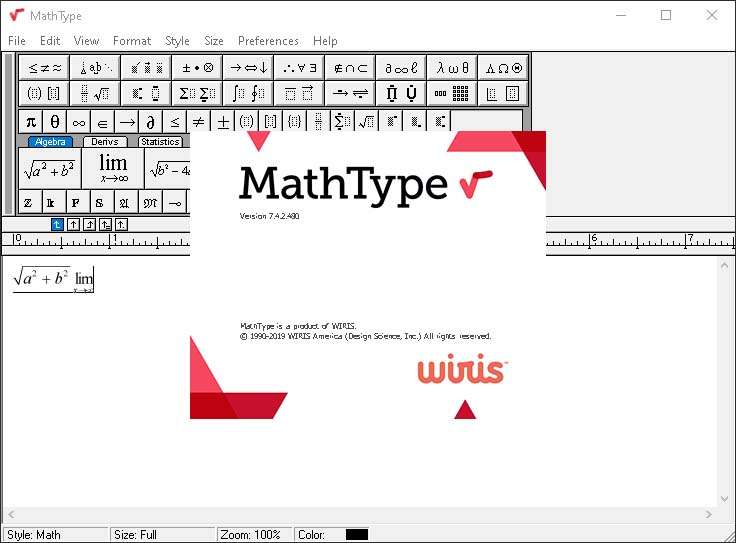
MathType offers a dual-mode editing environment, combining a user-friendly WYSIWYG (What You See Is What You Get) interface with robust LaTeX input capabilities. This ensures flexibility for users of varying technical backgrounds. Key tools and features include:
- WYSIWYG Editor: A visual interface that allows for direct manipulation and immediate preview of mathematical expressions.
- LaTeX Input: Direct typing or pasting of LaTeX code to generate equations, appealing to users familiar with typesetting systems.
- Handwriting Recognition: A feature that converts handwritten mathematical expressions, entered via stylus or mouse, into editable digital text.
- Drag-and-Drop Editing: Enables quick insertion of symbols and templates into the equation.
- Customizable Toolbars: Users can tailor toolbars to display frequently used symbols and templates for faster access.
- Comprehensive Symbol Sets: Includes extensive libraries for algebraic, trigonometric, matrix, Greek, and chemical notation, among others.
Integration and Compatibility with Other Software and Platforms
A significant strength of MathType lies in its broad compatibility and seamless integration capabilities. It is designed to work harmoniously within users’ existing digital workflows:
- Microsoft Office Suite: Deep integration with Word and PowerPoint for embedding editable equations.
- Google Workspace: Compatibility with Google Docs and Slides, allowing equation creation within cloud-based documents.
- Learning Management Systems (LMS): Direct support for platforms such as Moodle, Canvas, and Blackboard, essential for online education.
- Broad Application Support: Functions with over 350 applications and websites that support image or MathML insertion.
- Export Formats: Offers multiple export options including MathML for web accessibility and digital publishing standards, WMF (Windows Metafile), EPS (Encapsulated PostScript), and GIF for image-based outputs.
Enhancing Educational and Research Workflows with MathType
MathType is instrumental in streamlining content creation for academic and scientific communities. Its applications are diverse, ranging from basic classroom materials to complex research publications:
- Academic Papers: Facilitates the precise formatting of equations in research papers, theses, and dissertations.
- Test and Quiz Creation: Enables educators to quickly generate mathematical questions for assignments, tests, and online quizzes across various platforms.
- Accessibility: Support for MathML ensures that mathematical content is accessible and interpretable by assistive technologies and across different digital platforms.
- Efficiency Tools: Features like customizable hotkeys and the ability to save and reuse frequently used formulas significantly reduce content creation time.
Technical Features that Improve Usability and Flexibility
Beyond its core editing functions, MathType incorporates several technical features designed to enhance user experience and provide granular control over equation formatting:
- Keyboard Shortcuts: Extensive use of keyboard shortcuts allows for rapid input and editing of mathematical expressions.
- Undo/Redo Functionality: Robust undo and redo capabilities provide a safe environment for experimentation during equation creation.
- Precise Formatting Tools: Includes features like on-screen rulers and adjustable spacing for fine-tuning equation layout and appearance.
- Unicode Support: Ensures compatibility with a wide range of mathematical symbols and characters across different languages and scripts.
- Color and Style Customization: Allows users to apply specific colors and styles to equations or parts of equations for emphasis or branding.
- Matrix and Table Editing: Specialized tools for creating and editing matrices, rows, and columns with precise alignment.
Comparing MathType with Other Formula Editors and Alternatives
While numerous tools exist for mathematical notation, MathType distinguishes itself through its comprehensive feature set and broad compatibility. Unlike basic equation editors embedded in word processors, MathType offers advanced capabilities such as handwriting recognition and extensive symbol libraries. Compared to pure LaTeX editors, MathType provides a visual WYSIWYG environment that simplifies the creation process for users less familiar with code-based typesetting. Its integration power, particularly with cloud platforms and LMS, along with its focus purely on notation rather than symbolic computation like Computer Algebra Systems (CAS), positions it as a specialized and efficient tool for document composition.
Frequently Asked Questions
How does MathType support LaTeX input alongside visual editing?
MathType provides a user-friendly WYSIWYG interface for formula creation, while also allowing users to input and edit equations using LaTeX code. This hybrid approach caters to beginners who prefer visual editing and advanced users who value the precision and speed of direct LaTeX coding for their mathematical expressions.
Can MathType equations be used in online learning platforms and websites?
Yes, MathType integrates seamlessly with major learning management systems such as Moodle, Canvas, and Blackboard, and supports exporting formulas in web-friendly formats like MathML and GIF for use on websites and within digital educational content.
What are the benefits of MathType’s handwriting recognition?
MathType’s handwriting recognition allows users to write formulas using a stylus or mouse, which the software then accurately converts into properly formatted digital equations. This feature significantly speeds up the process of entering complex or unfamiliar mathematical symbols and expressions directly into documents.






Reviews
There are no reviews yet.