

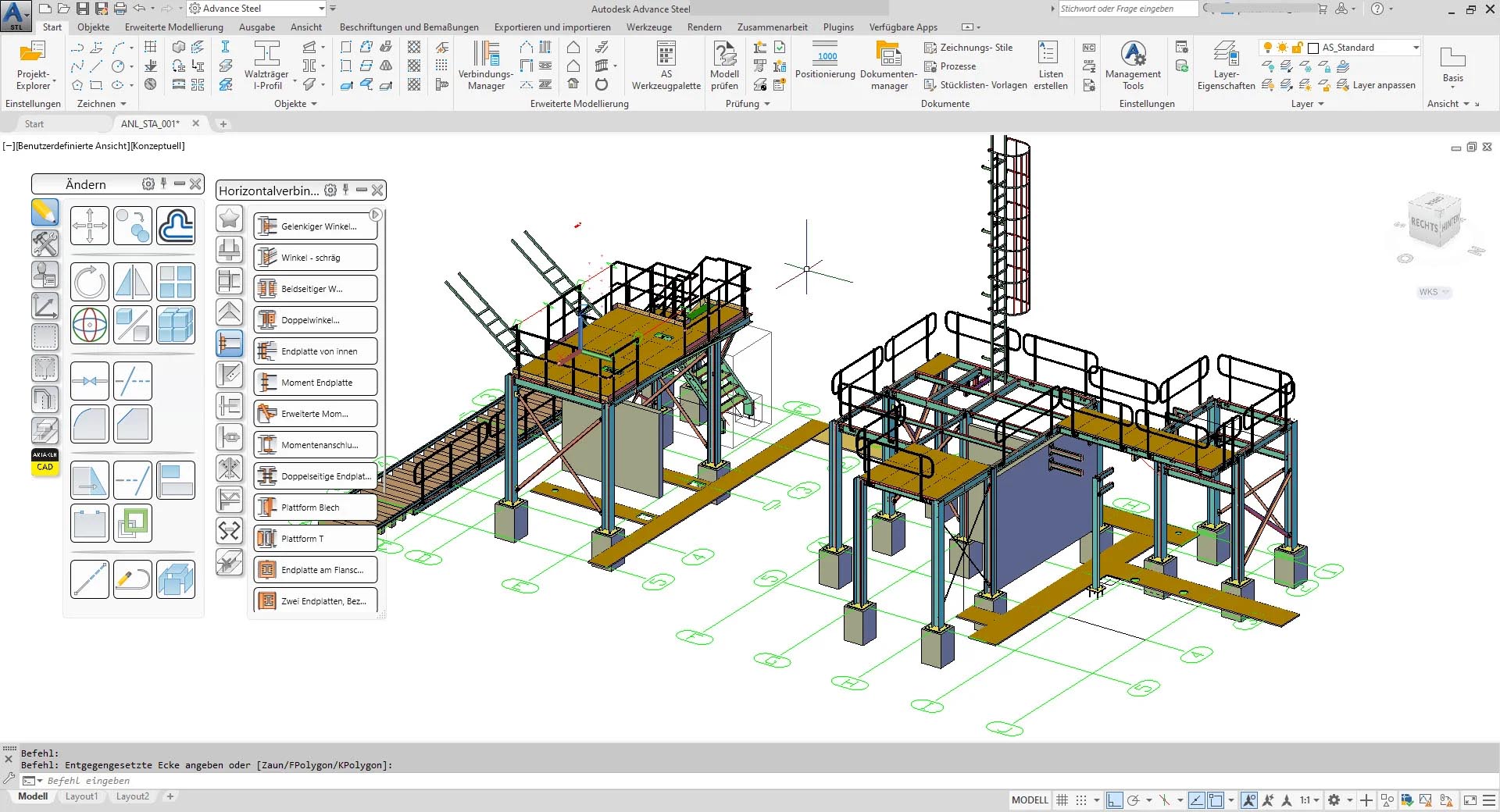
Autodesk Advance Steel 2027.0: Professional Steel Detailing & Fabrication Software
Autodesk Advance Steel 2027.0 is a specialized steel detailing and fabrication software built on the AutoCAD platform, automating the entire process from design to production. Part of the Autodesk AEC Collection, Advance Steel features a comprehensive library of parametric connections, intelligent duplication tools, and direct CNC output. Version 2027.0 continues Autodesk’s legacy of steel innovation, offering bi-directional synchronization with Revit (ensuring seamless BIM workflows between engineers and fabricators), shop drawing generation, material take-offs, and CNC/DSTV file export. Whether designing industrial buildings, stadiums, high-rise structures, or complex steel connections, Advance Steel delivers the precision, automation, and fabrication-ready output that modern steel construction demands.
???? Primary Users
This professional steel detailing software is designed for:
-
Steel Detailers & Structural Steel Fabricators creating precise 3D models for steel structures.
-
Structural Engineers & Steel Designers developing connection designs and generating fabrication drawings.
-
Construction Professionals & Steel Erectors producing shop drawings, bills of material, and erection plans.
-
BIM Coordinators & Modelers integrating steel structures into multi-discipline BIM workflows.
-
CNC Machine Operators & Production Managers generating direct CNC data for automated fabrication.
⚡ Key Features & Capabilities
???? Parametric Steel Connections & Objects
Comprehensive Connection Library:
-
Hundreds of parametric steel connections (moment, shear, bracing, base plates)
-
Automatic bolts, welds, and plates based on engineering rules
-
User-defined custom connections stored in libraries
Smart Steel Objects:
-
Beams, columns, bracing, trusses, purlins, girts
-
Stairs, ladders, handrails, cages, gratings
-
Gusset plates, base plates, stiffeners, end plates
⚡ Intelligent Modeling & Duplication
Auto-Connection:
-
Automatic connection application between intersecting steel members
-
Bolt and weld patterns propagate consistently
Duplication & Mirroring:
-
Mirror, copy, move, and array steel assemblies
-
Relationship maintenance for intelligent updates
???? Bi-Directional Revit Integration
-
Link to Revit: Exchange steel models with Revit without data loss
-
Synchronize changes: Update models bidirectionally
-
Collaborative BIM: Engineers and detailers work on same model (arch, structure, MEP)
???? Connection Design & Verification
-
AISC 360, Eurocode 3, BS 5950 connection checks (optional analysis link)
-
Bolt / weld design per code (utilization ratio)
-
Gusset plate buckling check (Whitmore section)
???? Fabrication Output (CNC-Ready)
| Output Type | Format / Use |
|---|---|
| CNC / DSTV | NC files for beam lines (angled, coping, holing) |
| Shop Drawings | Single-part, assembly, general arrangement |
| Bill of Materials (BOM) | Material list for procurement / nesting |
| Production Reports | Lists for cutting, welding, painting |
???? Drawings & Documentation
-
Automatic Drawing Creation: General arrangement (GA) plans, sections, elevations
-
Single-Part Drawings: Each steel member dimensioned + material + weight
-
Assembly Drawings: Prefabricated pieces (e.g., truss, column splice)
-
BOM (cut length, quantity, profile, grade)
???? Multi-User Collaboration
-
Model sharing (splitting by grid / area)
-
Clash detection (steel vs. concrete, MEP, rebar)
???? What’s New in Version 2027.0
-
Enhanced Revit Interoperability – Bi-directional link (Revit 2027) with parametric family mapping
-
New Connection Types – Bolted flange plate (splice), end plate moment (extended), shear tab (stiffened)
-
Automated Weld Symbols – In drawings (ISO, AWS)
-
Performance for Large Models – Faster copy/paste, viewport navigation
-
4K Monitor Support – High-DPI scaling for 4K displays
-
Cloud Collaboration – Autodesk BIM 360 / ACC integration for steel model coordination
???? System Requirements
Minimum Requirements
-
OS: Windows 7 SP1 (64-bit), Windows 8.1 with Update KB2919355, or Windows 10 Anniversary Update (64-bit, version 1607 or higher)
-
CPU: 2.5–2.9 GHz processor
-
RAM: 8 GB
-
Storage: 9 GB + 1 GB additional for disk cache (system temporary folder requires up to 12 GB during download installation)
-
Display: 1920 × 1080 (1080p)






Reviews
There are no reviews yet.