

CTC Software BIM Suites (Project, Manager) 2027 for Autodesk Revit 2027 – Comprehensive Revit Add‑in Suites for Managing Projects, Content, and Standards
CTC Software offers three distinct BIM Suites for Autodesk Revit, each designed to address different roles and workflows . The 2027 versions are fully compatible with Autodesk Revit 2023 through 2027 and are available through the Autodesk App Store and CTC’s unified installer .
BIM Manager Suite 2027
Intended for users who manage the company’s BIM standards and project templates, the BIM Manager Suite includes tools to help standardise, protect, and quickly change Revit families and projects . It is designed for people who manage Revit content and projects at an organisational level .
BIM Project Suite 2027
Designed for everyday Revit users of all skill levels, the BIM Project Suite automates routine tasks, leverages the power of Excel with Revit, manages content, compares a project at two points in time, and validates families in rooms . It is used by firms of all sizes to accelerate daily workflows .
BIM Batch Suite 2027
Focused on processing workflows en masse, the BIM Batch Suite provides tools that allow Revit users to import and export data in bulk, including exporting families, loading multiple families, and scheduling export jobs to run automatically.
Primary Users
CTC Software BIM Suites are designed for BIM managers, project managers, Revit power users, and AEC professionals who need to streamline, automate, and standardise their daily Revit workflows. They serve professionals who:
-
Manage large‑scale Revit projects and need to automate tedious, repetitive tasks to save time and reduce errors
-
Oversee BIM standards and content libraries across an organisation and require tools to standardise, protect, and quickly change Revit families and projects
-
Generate accurate documentation through data automation, spreadsheet integration, and schedule management
-
Process workflows in bulk – exporting and importing data, loading multiple families, and scheduling exports to occur automatically
-
Compare project versions and track revisions across complex models for effective team coordination
Key Features & Capabilities
BIM Manager Suite 2027
The BIM Manager Suite includes a collection of utilities that assist with family and project management :
| Tool | Description |
|---|---|
| Family Preview Manager | Modifies view settings for the default preview image of families |
| Family Tools | Assists with family creation, including deleting backup families, working with type catalogs and shared parameter files, and listing Revit versions |
| Project Cleaner | Deletes views, sheets, schedules, legends, and Revit links – ideal for preparing projects to send to consultants |
| Revision Cloud Remover | Quickly removes non‑issued revision clouds from your project |
| Dimension Checker | Finds dimensions whose text does not show dimensionally accurate values |
| Family Checker | Verifies how well family files have been created according to standard best practices |
| Family Processor | Batch adds, changes, or deletes materials, parameters, and shared parameters within one or many family files |
| Import and Link Manager | Locates and manages CAD objects within a Revit model |
| Schedule Parameter Resolver | Changes schedule parameter definitions to match those used in families without losing formatting |
| Shared Parameter Manager | Manages shared parameter files and assists with batch loading pre‑saved sets into projects |
| Type Swapper | Swaps text, dimension, line, and family element types |
BIM Project Suite 2027
The BIM Project Suite provides a wide array of tools to automate tasks, generate documentation, and manage data :
| Tool | Description |
|---|---|
| Spreadsheet Link | Exports data from Revit to a spreadsheet, allows editing, and loads it back into Revit – with embedded functions that do not require external software |
| Schedule XL | Creates one or more schedule or drafting views from spreadsheet worksheets, with automatic updates |
| Renumbering | Quickly renumbers rooms and doors, including adding separators and suffixes |
| Sheet Assistant | Edits sheet layouts by aligning multiple views across multiple sheets; assists with view placement |
| View Aligner | Allows explicit edge, centre, and internal level alignment across multiple views, both on a single sheet and across multiple sheets |
| Model Compare | Takes data “snapshots” of a project and compares differences as the project changes |
| Model Dashboard | Provides an in‑model analytics dashboard to help detect problems early |
| Revision Manager | Lists revision information with view and sheet associations, and allows results to be saved to a spreadsheet |
| Fire Rating | Automates the assignment of fire ratings and the generation of fire rating graphics for life safety plans |
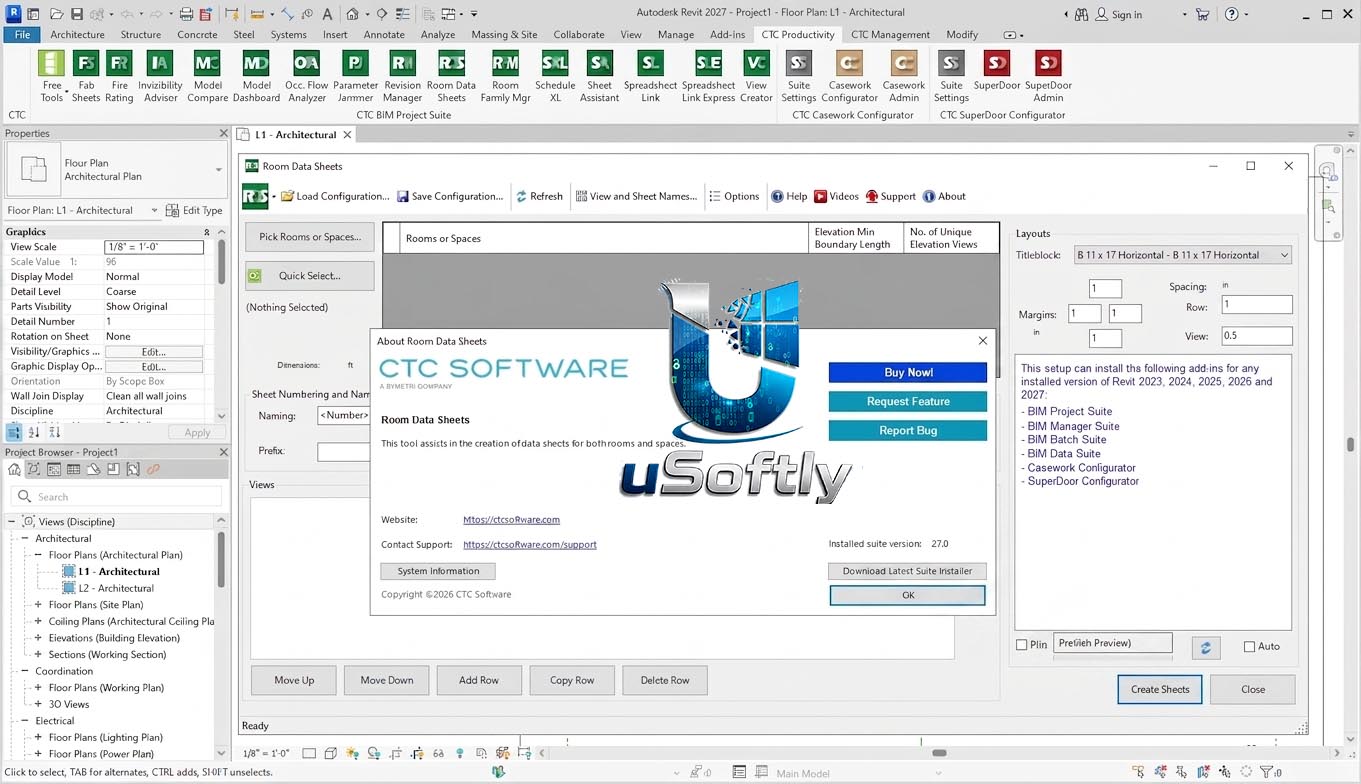
| Room Data Sheets | Assists with the creation of datasheets for both rooms and spaces |
| Invisibility Advisor | Helps determine why an element may not be visible in a view |
| Quick Select | Quickly changes which elements are selected using filters for categories, parameter values, and views |
BIM Batch Suite 2027
The BIM Batch Suite focuses on processing workflows en masse :
| Tool | Description |
|---|---|
| Family Exporter | Exports specific families from projects, automatically creates a folder structure based on family categories and geometry, and adds customised text to exported family names |
| Family Loader | Selects and loads multiple families into multiple projects or families, reloads families into an existing project, and optionally overwrites existing parameter values |
| Plotter and Exporter | Creates and schedules export or plotting jobs with an intuitive interface – exports to PDF, DWG, DXF, DGN, DWF, FBX, Navisworks, IFC, and more |
What’s New in CTC BIM Suites 2027
Version 27.0 brings compatibility with Autodesk Revit 2027 along with the following key updates :
BIM Manager Suite 27.0
-
New Feature: Support for Revit 2027
-
Project Cleaner: Fixed issue where legends and schedules were being omitted from the list of purgeable views
-
Family Checker: Fixed issue where saving of settings would fail in some cases; resolved UI problems when creating new sub‑categories
-
Family Processor: Resolved an issue that would cause moving of parameter groups to fail during processing
-
Shared Parameter Manager: Fixed display problems with several sub‑categories and added missing sub‑categories
BIM Project Suite 27.0
-
New Feature: Support for Revit 2027
-
Schedule XL: Resolved issues with manually updating linked documents/sheets in the model
-
Sheet Assistant: Improved UI – all panels are now resizable; fixed condition where unplaced drafting views were not being shown in selection lists






Reviews
There are no reviews yet.