

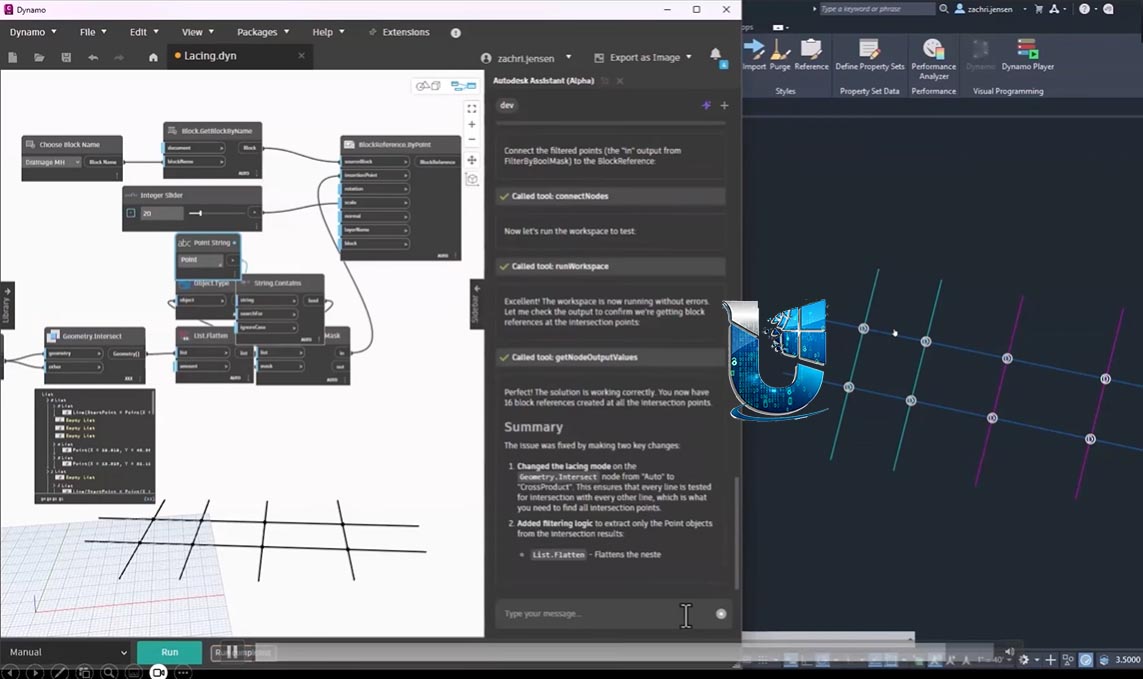
Dynamo Extension for Robot Structural Analysis 2027: Computational Design & Automation for Structural Engineers
The Dynamo Extension for Robot Structural Analysis 2027 seamlessly integrates the Dynamo visual programming environment into Autodesk Robot Structural Analysis Professional . This extension empowers structural engineers to automate modeling tasks, explore design alternatives, and optimize structural performance through computational workflows.
Introduced as a major feature in Robot Structural Analysis 2022, this extension provides dedicated nodes for creating analytical models, applying section shapes, defining boundary conditions, creating loads, running calculations, and reading results all from within the familiar Dynamo environment . The extension includes a specialized Structural Analysis Package with improved, tested nodes enriched with descriptions and tooltips for each input and output port .
By enabling direct communication between Dynamo and Robot, engineers can overcome the limitations of manual workflows, significantly reducing modeling time and enabling parametric studies and optimization that were previously impractical.
👥 Primary Users
This powerful automation extension is designed for:
-
Structural Engineers & Analysts automating repetitive modeling and analysis tasks to accelerate design iteration and optimize structural performance
-
BIM Managers & Computational Designers creating complex analytical models and establishing feedback loops between design and analysis
-
Engineering Researchers & Advanced Users developing custom scripts for parametric studies, structural optimization, and performance-based design
-
Project Teams integrating BIM workflows with structural analysis to enhance collaboration and data consistency across disciplines
-
Educators & Students learning computational structural design and visual programming applications in engineering
⚡ Key Features & Capabilities
🔧 Dedicated Robot Structural Analysis Nodes
The Structural Analysis Package includes specialized nodes for:
-
Analytical Model Creation: Generate structural models directly in Robot using Dynamo geometry
-
Section Application: Apply section shapes and properties to structural members
-
Boundary Conditions: Define supports, releases, and other constraints
-
Load Application: Apply various load types to the analytical model
-
Calculation Execution: Run structural analysis calculations from within Dynamo scripts
-
Results Reading: Extract and interpret analysis results, enabling iterative optimization workflows
🧠 Automation & Workflow Enhancement
-
Parametric Modeling: Create and explore multiple design options by varying parameters in Dynamo
-
Repetitive Task Automation: Automate time-consuming modeling processes, including member creation, load application, and section assignment
-
Design Optimization: Apply genetic algorithms and other metaheuristic techniques to optimize structural performance (weight, cost, sustainability)
-
BIM Integration: Establish robust, data-rich links between BIM models and structural analysis, improving coordination and reducing errors
📚 Learning & Support Resources
-
Sample Scripts & Tutorials: Access pre-built sample scripts and step-by-step tutorials directly from the Help -> Samples -> Robot Structural Analysis menu in Dynamo
-
Dedicated Documentation: Enhanced documentation and tooltips for all dedicated Robot nodes
-
Community Examples: Numerous examples and discussions on the Dynamo forum demonstrate practical applications, from extracting deflection values to optimizing trusses
💻 System Requirements
Software Requirements
-
Host Application: Autodesk Robot Structural Analysis Professional 2027
-
Automation Framework: Dynamo (integrated into Robot via the extension)
-
OS: Windows 10/11 (64-bit)




Reviews
There are no reviews yet.