
Download Pepakura Designer 6.1.6 – Advanced Papercraft Unfolding Software
Pepakura Designer 6.1.6, developed by Tamasoft in Japan, is a specialized application designed for unfolding 3D models into printable 2D patterns. This papercraft software is frequently utilized by cosplayers, hobbyists, designers, and educators to create physical representations of digital models, enabling prototyping and fabrication without the exclusive need for 3D printing. It acts as a crucial bridge between 3D modeling software and tangible papercraft construction.
Unfold Complex 3D Models into Printable Templates
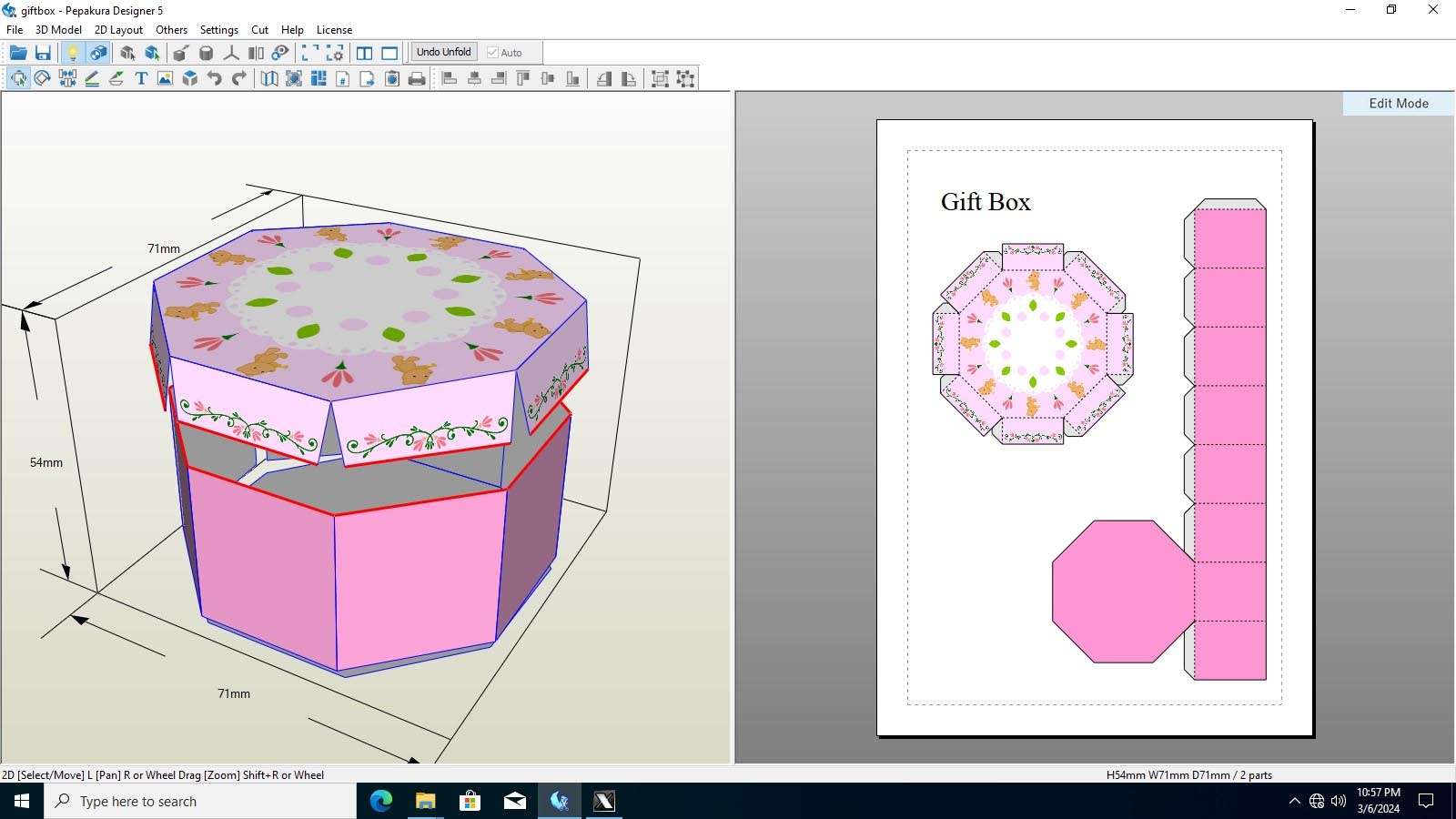
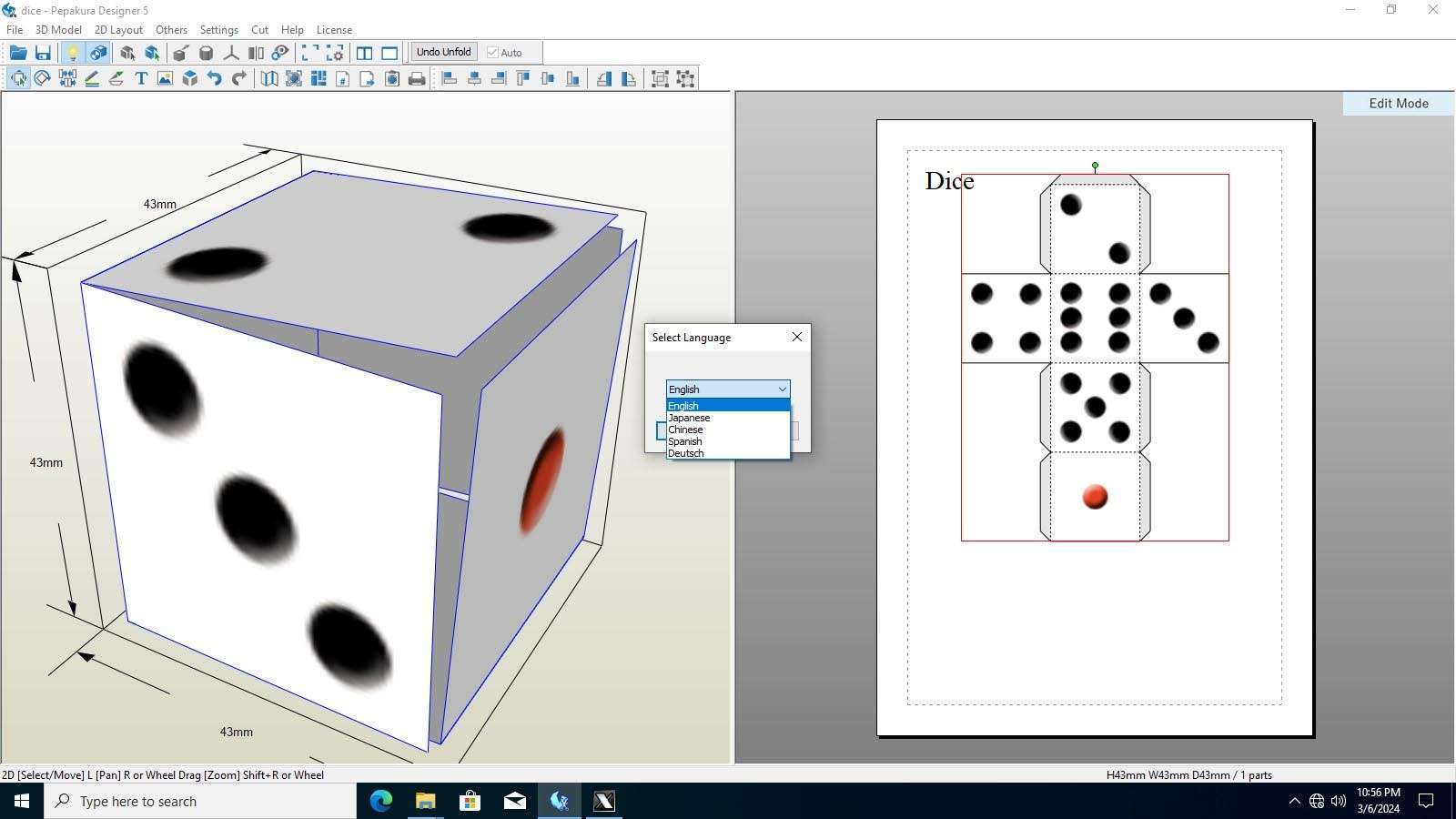
Pepakura Designer excels at converting intricate 3D geometries into manageable, foldable 2D patterns. Its sophisticated algorithms are designed to simplify the unfolding process, making complex models suitable for papercraft construction.
Intelligent Edge Detection & Minimal-Piece Algorithms
The software employs advanced edge detection to accurately identify boundaries within a 3D model, automatically cutting the model into pieces that minimize count while ensuring each piece remains a single, connected surface for easier assembly. This process is key to generating efficient and buildable templates.
Manual Overrides & Real-Time Preview
Recognizing that automated processes may not always yield perfect results, Pepakura Designer provides users with extensive manual controls. These allow for adjustments to problematic cuts or connections, with a real-time preview window that immediately reflects changes, facilitating iterative refinement of the unfolded layout.
Optimize Layout Across Multiple Paper Sizes
Efficient use of paper is paramount in papercraft. Pepakura Designer includes tools to arrange the unfolded pieces onto standard paper sizes, minimizing waste and ensuring that even large models can be printed across multiple sheets.
Automatic Nesting & Manual Arrangement
The software features an automatic nesting engine that intelligently arranges the 2D patterns to fit onto specified paper dimensions, optimizing space and reducing material consumption. For users requiring more control, manual arrangement tools allow pieces to be repositioned, rotated, and resized freely.
Waste Reduction & Multi-Page Support
By calculating the most efficient layout, Pepakura Designer helps minimize paper waste, a significant consideration for large projects or frequent crafting. The multi-page support is essential for breaking down complex structures, allowing them to be printed across an arbitrary number of sheets while maintaining consistent scaling.
Preserve Textures, Colors & Precise Scale
Beyond geometry, Pepakura Designer assists in retaining the visual fidelity of the original 3D model, supporting the transfer of textures and colors to the 2D patterns, and offering precise control over the final scaled output.
Import & Retain Original 3D Textures
Users can import 3D models with applied textures, and Pepakura Designer will map these textures onto the 2D patterns. This feature supports options such as grayscale printing for detailed line art or full-color output that mimics the original digital model’s appearance, providing a preview of how textures will look when printed.
Real-Time Scaling & Dimensional Feedback
Accurate scaling is crucial for many applications, particularly cosplay props. Pepakura Designer allows scaling through either a percentage (e.g., 50%, 100%) or by setting absolute dimensions. The software provides real-time dimensional feedback, displaying the exact measurements of parts and the overall model as it scales.
Guided Assembly with Pepakura Viewer
To aid in the construction process, Pepakura Designer works in conjunction with the free Pepakura Viewer, which provides a 3D reference model to guide builders through the assembly of their papercraft creations.
3D Reference & Part Highlighting
The Pepakura Viewer displays the fully unfolded 3D model, allowing users to rotate and inspect it from any angle. Crucially, it can highlight individual parts as they are selected in the 2D pattern list, making it easy to identify which piece corresponds to which section of the model.
Customizable Tabs, Numbering & Fold Indicators
The software offers robust configuration options for assembly aids. Users can customize the size and placement of glue tabs, add sequential numbering to parts for logical assembly order, and incorporate standard fold indicators such as mountain (outward) and valley (inward) fold lines directly onto the patterns.
Applications in Cosplay, Prototyping & Education
Pepakura Designer’s capabilities extend across various fields, enabling professionals and hobbyists to bring digital designs into the physical world for a wide range of practical applications.
Costume Armor, Helmets & Props
The cosplay community widely uses Pepakura Designer to create intricate costume elements, such as detailed armor pieces, helmets accurately sized to the wearer, and complex props. The ability to precisely scale models ensures functional and wearable results.
Design Concept Prototypes Without 3D Printing
For industrial designers, architects, and product developers, Pepakura Designer offers a rapid way to create physical mock-ups and concept models. This allows for tangible evaluation of form, scale, and ergonomics early in the design process, often faster and more cost-effectively than 3D printing.
Hands-On STEM & Art Education
In educational settings, the software serves as a tool for teaching geometry, spatial reasoning, and engineering principles. Students can engage with complex 3D shapes in a hands-on manner, unfolding them into 2D nets and assembling them into physical objects.
How Pepakura Stands Out from Other Unfolding Tools
While other software solutions exist for papercraft template generation, Pepakura Designer offers a distinct set of features and a user-focused approach that solidifies its position in the market.
Comparison with Alternative Papercraft Software
Compared to some automated unfolding solutions, Pepakura Designer provides a greater degree of manual control over the dissection of 3D models. While competitors might focus solely on automation, Pepakura Designer balances intelligent algorithms with user-driven adjustments, ensuring optimal results for diverse model types.
Unique Advantages of Pepakura Designer
Key differentiators include its highly refined manual unfolding capabilities, which give users fine-grained control over piece separation. The integrated support for original 3D model textures significantly enhances the visual output, and the inclusion of the free, feature-rich Pepakura Viewer for assembly guidance provides an unparalleled user experience from design to construction.
Frequently Asked Questions
What file formats can I import into Pepakura Designer?
Pepakura Designer supports a wide range of 3D model formats, including OBJ, STL, 3DS, DXF, LWO, and MQO. This broad compatibility allows for seamless integration with popular 3D modeling and CAD software such as Blender, Maya, and 3ds Max, facilitating the import of existing digital assets.
How do I scale my unfolded pattern to match real-world dimensions?
You can scale your unfolded patterns within Pepakura Designer using the dedicated scaling panel. Options include adjusting by percentage or setting precise absolute dimensions. The software’s real-time dimensional feedback ensures that your model adheres to target measurements, which is critical before printing.
Which paper types work best for durable Pepakura builds?
For sturdy and durable papercraft assemblies, cardstock ranging from 160–300 gsm is generally recommended. Standard 80–120 gsm copy paper is suitable for lightweight prototypes or test prints. For specialized finishes or enhanced durability, consider using adhesive-backed paper or photo paper.





Reviews
There are no reviews yet.