

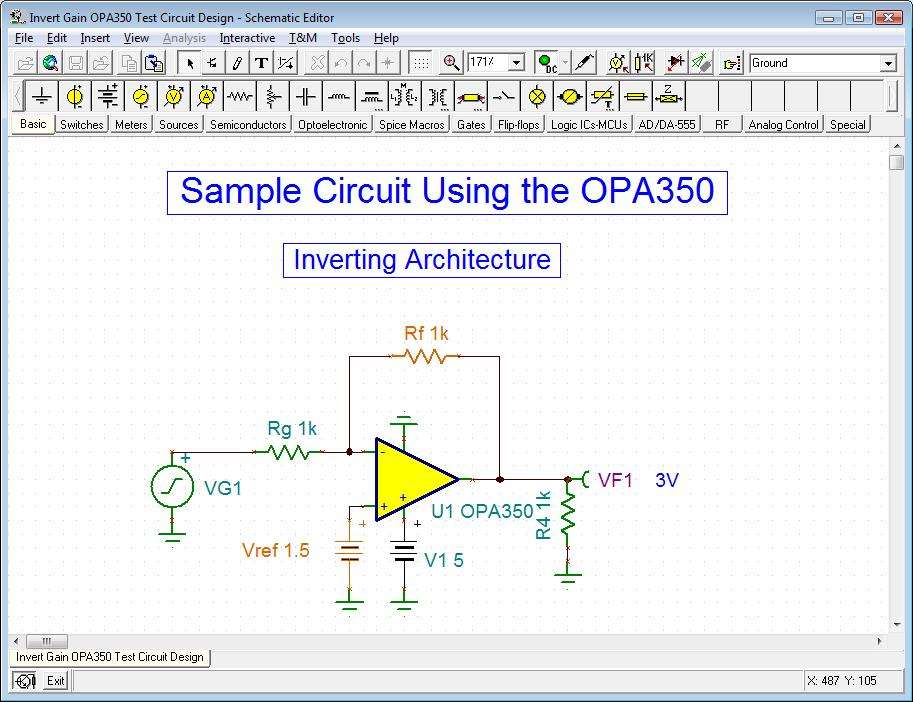
Download TINA Design Suite 15.0 – Advanced Circuit Simulation and PCB Design Software
TINA Design Suite 15.0 is a comprehensive electronic design automation (EDA) software developed by DesignSoft, specifically engineered for electrical engineering and electronics design professionals. It offers powerful capabilities for multi-domain circuit simulation, including analog, digital, mixed-signal, VHDL, and microcontroller (MCU) circuits. This makes it an invaluable tool for professionals in fields such as electronics design, embedded systems development, education, research, and manufacturing, enabling detailed circuit verification and analysis before physical prototyping.
Overview of TINA Design Suite and Its Engineering Applications
TINA Design Suite provides a robust environment for engineers and educators to design, analyze, and test electronic circuits. The software supports a wide array of circuit types, facilitating comprehensive analysis of analog, digital, mixed-signal, VHDL, and MCU-based systems. Its applications span across various industries, including consumer electronics, telecommunications, automotive, and aerospace, alongside critical roles in academic institutions for teaching electronics principles and embedded systems development.
Comprehensive Circuit Simulation and Analysis Features
A key differentiator of TINA Design Suite is its advanced multi-core simulation engine, which significantly accelerates the analysis process by leveraging modern multi-core CPUs. The software offers over 20 distinct analysis modes, enabling users to perform in-depth investigations of circuit behavior. It also incorporates virtual instruments that mimic real-world lab equipment, such as oscilloscopes, signal analyzers, and function generators, allowing for interactive, real-time simulation and troubleshooting of complex circuit designs.
Integrated PCB Layout and Design Capabilities
TINA Design Suite features a fully integrated PCB design module that streamlines the workflow from schematic capture to board fabrication. This module supports multilayer board designs and includes advanced features such as autorouting for efficient trace placement, comprehensive design rule checks (DRCs) to ensure manufacturability, and 3D visualization to preview the final board layout. The software can generate industry-standard output formats, including Gerber files, facilitating seamless transfer to PCB manufacturers.
Microcontroller Programming and Debugging Tools
For embedded systems development, TINA Design Suite offers an integrated flowchart editor that simplifies the process of generating microcontroller code. Engineers can develop logic using visual flowcharts, which are then compiled into executable code for supported MCUs. The suite includes integrated debugging capabilities, allowing developers to test and debug MCU applications directly within the mixed-signal circuit simulation environment, identifying and resolving issues before deployment.
Extensive Model Support and Optimization Tools
Users can enhance their simulations by importing industry-standard SPICE subcircuits and component models, enabling the use of specific or proprietary semiconductor devices. TINA also features powerful optimization tools that can automatically determine optimal component parameters for circuit designs. This capability is particularly useful for designing circuits for specific semiconductor applications or fine-tuning performance parameters.
Educational Features and Real-Time Hardware Integration
TINA Design Suite is well-equipped for educational purposes, offering features like student testing tools and a virtual 3D breadboard for interactive learning. Its live component interaction allows students to modify parameters in real-time and observe the effects on circuit behavior. A standout feature is the seamless integration with optional hardware, such as the TINALab II multifunction instrument, which transforms a PC into a comprehensive test and measurement station, bridging the gap between simulation and physical experimentation.
Presentation and Reporting Tools for Professional Documentation
To support project documentation and reporting, TINA Design Suite includes advanced plotting and output capabilities. Users can generate highly customizable diagrams and symbolic analysis outputs. The software facilitates the creation of professional reports by allowing for easy exporting and printing of simulation results, schematics, and presentations, ensuring clear communication of design findings and project progress.
Frequently Asked Questions
What types of circuits can I simulate with TINA Design Suite 15.0?
TINA Design Suite supports simulation of analog, digital, mixed-signal, VHDL, and microcontroller circuits, making it versatile for various electronics design needs. This broad support allows engineers to analyze a wide range of electronic systems within a single software environment.
Can TINA Design Suite import SPICE models for simulation?
Yes, TINA can import SPICE subcircuits and models, allowing users to incorporate third-party or manufacturer component models into their designs. This capability ensures that simulations accurately reflect the behavior of real-world components.
Does TINA support real-time testing with external hardware?
TINA integrates with optional hardware like the TINALab II, which transforms your PC into a multifunction test instrument capable of real-time measurements alongside simulations. This hardware integration provides a direct link between simulated designs and physical circuit behavior.





Reviews
There are no reviews yet.